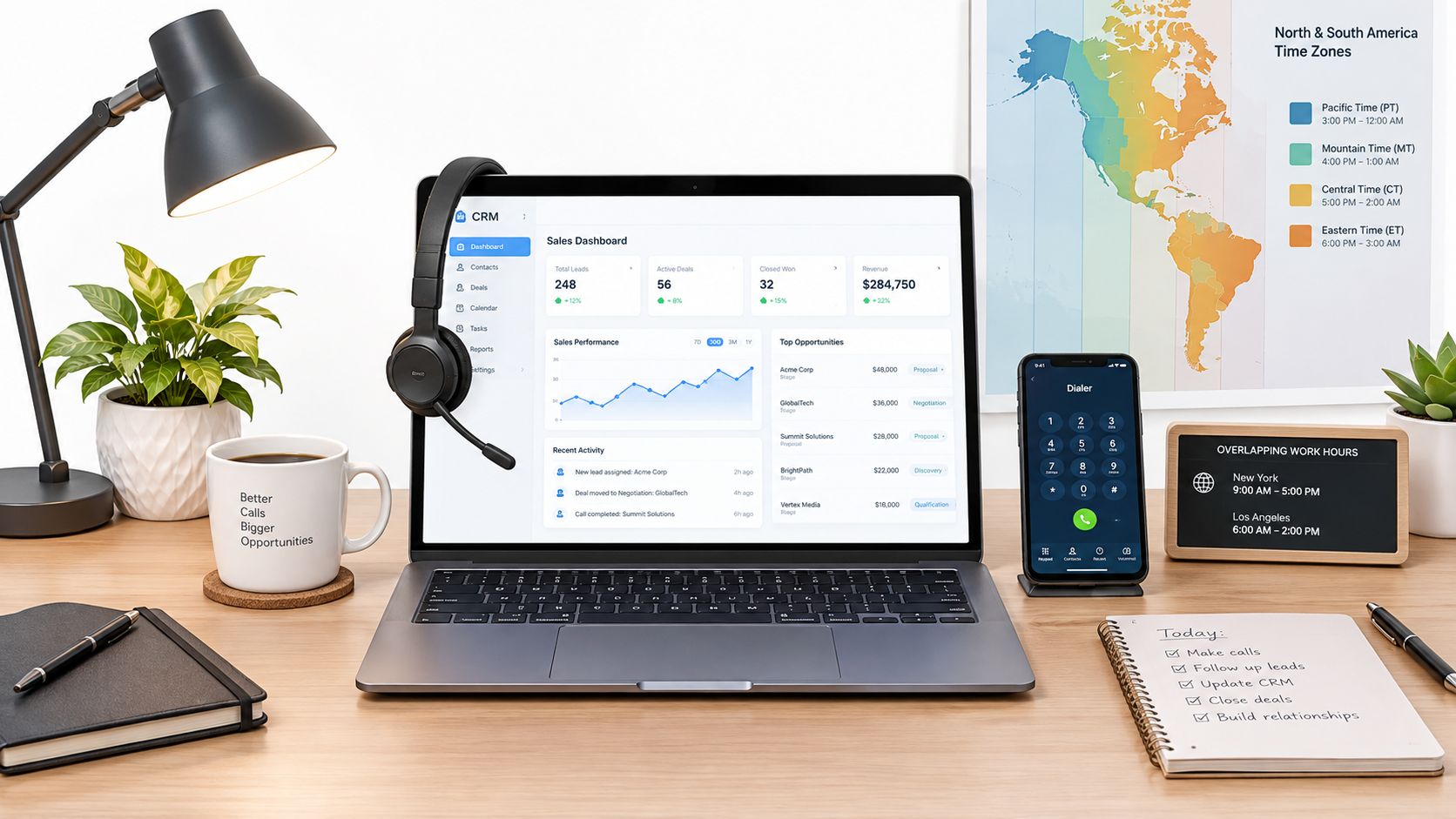
You've been scrolling through remote listings, opening one posting after another, and wondering whether “customer support specialist” means answering messages, taking calls, or managing technical problems. You may already have experience in retail, hospitality, administration, sales, or virtual assistance, but the requirements can still feel unclear, especially when a role asks for strong English, EST availability, and familiarity with helpdesk tools.
A remote customer support specialist connects customer problems with the company's systems and people who can solve them. The work usually happens through chat, email, phone, and ticket queues, but the underlying responsibility is broader: understand the issue, document it correctly, give the customer a clear next step, and escalate it when necessary. For candidates in Latin America, South Africa, and other international markets, fit often depends as much on language, schedule, and remote readiness as on previous job titles.
What a Remote Customer Support Specialist Actually Does
A customer writes because an order is late, an account won't open, a payment looks wrong, or a product doesn't work as expected. Your job isn't just to send a quick reply. You need to identify what happened, check the relevant information, follow the company's process, and keep the customer informed until the issue reaches a clear outcome.
That makes the role a bridge between the customer and the company's internal systems. You might search a knowledge base, review an account record, create a ticket, ask another team for help, and then explain the solution in language the customer can understand. Good support combines calm communication, careful documentation, practical judgment, and consistent follow-through.
The title can cover several types of work:
- Chat and email support: Respond to questions, troubleshoot common problems, and manage several conversations or cases in an organized way.
- Phone or call support: Guide customers through problems in real time, confirm details, and de-escalate difficult conversations.
- Onboarding support: Help new users understand a service, complete setup steps, or move through an initial process.
- E-commerce support: Handle questions about orders, returns, delivery, products, and account access.
- Escalation support: Recognize when an issue needs a manager, technical team, billing team, or another specialist.
The role isn't always highly technical, but it does require structured thinking. Employers want someone who can follow a workflow without sounding mechanical, recognize exceptions, and leave a useful record for the next person.
Remote customer support became far more viable during the COVID-19 period. WFM Labs reports that contact centers moved to remote work within weeks, with Gartner estimating that more than 70% of contact center agents were working from home by April 2020, compared with less than 15% the month before (WFM Labs summary of remote customer service work). Fully remote roles are still limited in the wider market, though. Robert Half's 2026 data lists Administrative and Customer Support roles as 93% fully on-site, 5% hybrid, and 2% fully remote (Robert Half remote-work data).
Daily Duties and Responsibilities Explained
A typical day begins with triage. You review new tickets, identify urgent cases, check whether customers have already contacted the team, and decide which requests can be resolved with a standard process. A password issue may need a short response, while a billing dispute may require account research and coordination with another department.
During a live chat shift, you could guide one customer through onboarding while answering another customer's question about an order. Email work often gives you more time to investigate, but it demands precise writing. A useful response acknowledges the problem, explains what you checked, states the next action, and avoids making promises the company can't keep.
How one issue moves through the workflow
Suppose a customer says a product arrived damaged. You might first verify the order details in the helpdesk or e-commerce system. Then you explain the return or replacement process, record the case accurately, and tag it so the company can identify similar problems.
If the customer reports a defect that isn't covered by the standard process, you escalate it. The escalation should include the relevant facts, the steps already taken, and the specific decision or assistance needed. A vague note such as “customer has a problem” creates extra work. A clear note helps the next team act quickly.
Near the end of the day, you may complete quality checks, update a knowledge base article, or prepare a handoff for another shift. Support becomes more than conversation at this point. Your records help the team maintain consistent answers and identify recurring issues.
Real LATAM support postings commonly mention live chat, email, helpdesk queues, onboarding, e-commerce support, ticket resolution, QA, and escalations. They also screen for written and spoken English, relevant support experience, communication, reliability, remote readiness, schedule alignment, and familiarity with the tools the team uses (LATAM customer support role mechanics and screening criteria).
Responsibilities worth showing on your CV
- Resolve customer requests: Describe the channels you handled and the types of issues you solved.
- Document cases: Mention ticket notes, account updates, tags, templates, or internal records.
- Support onboarding: Include setup guidance, product education, or customer training.
- Manage escalations: Explain how you identified issues outside your authority and transferred them with context.
- Maintain quality: Include proofreading, QA reviews, process compliance, or knowledge base updates.
The Tools Behind the Role
The software matters, but employers usually care more about whether you understand the workflow than whether you've memorized one specific platform. A ticket begins as a customer request, receives a category and priority, moves through an owner or queue, and ends with a documented resolution. That same logic appears across many systems.
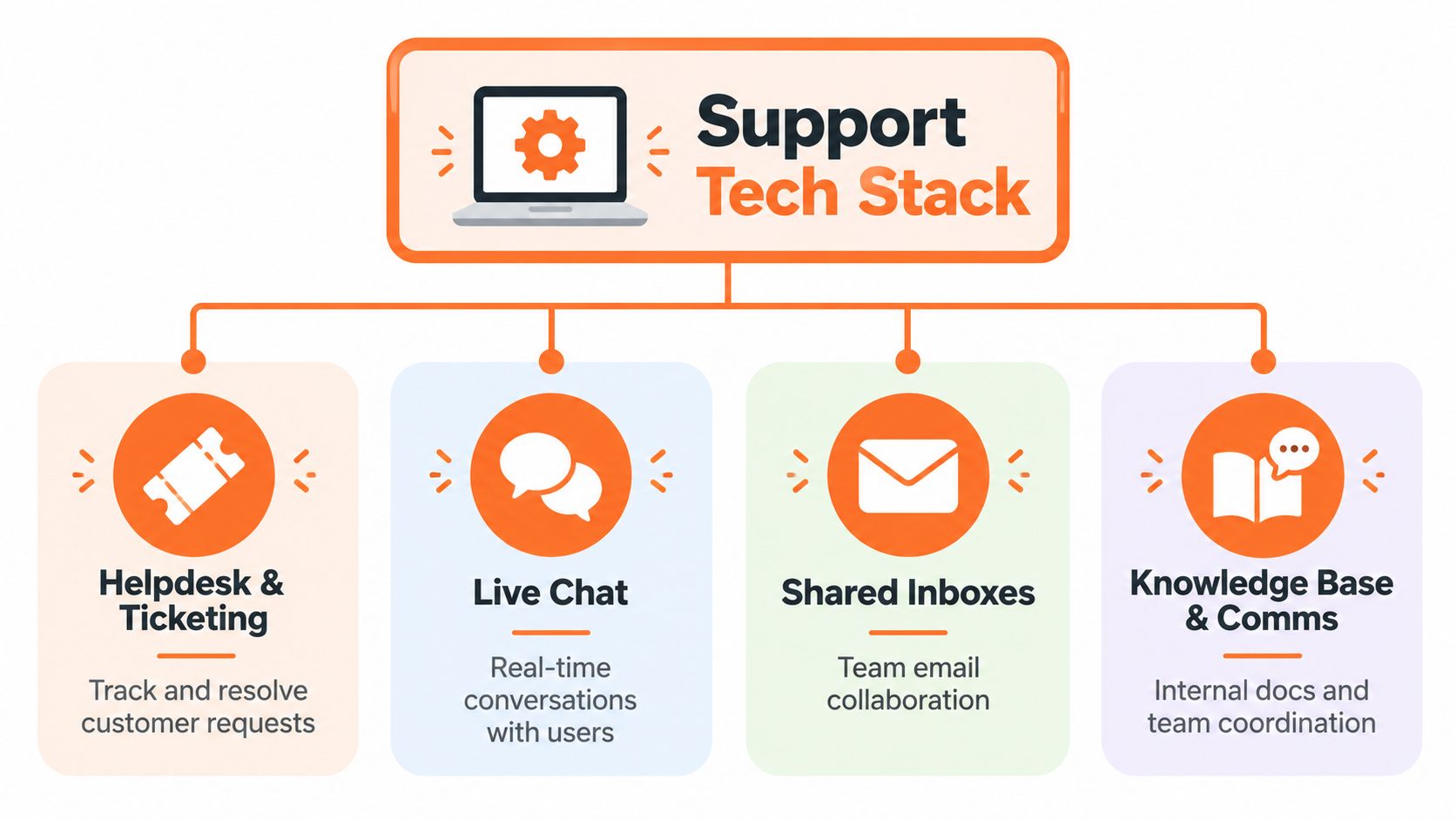
Four parts of the support stack
Helpdesk and ticketing platforms organize customer requests, statuses, priorities, assignments, and resolution notes. They help a team avoid losing a case in a busy inbox.
Live chat tools support real-time conversations. They may include saved replies, customer history, routing rules, and conversation tags.
Shared inboxes let several people manage customer email without duplicating replies or leaving messages unanswered. They require careful ownership and handoff habits.
Knowledge bases and communication apps hold internal procedures, product information, announcements, and team discussions. A specialist uses these resources to give consistent answers and to find changes that aren't obvious from the customer's message.
Strong remote habits also depend on clear documentation, predictable handoffs, and focused communication. Candidates who want to understand how collaboration tools can improve distributed workflows can review this guide to boost remote team productivity. The same principles apply to support work, where a missing note or unclear status can delay a customer's resolution.
You may also see responsibilities that overlap with administration, especially in smaller teams. Reading about administrative assistant responsibilities can help you recognize transferable skills such as calendar discipline, data entry, documentation, and organized communication.
Why AI changes the tool requirement
Support teams are increasingly asking agents to review automated work rather than answer every request from scratch. Intercom reports that only 10% of teams have reached mature AI deployment, while 82% invested in AI over the last 12 months. It also reports that 40% of teams now have agents spending more time training and optimizing AI systems (Intercom's 2026 customer service transformation report).
That can mean checking an AI-drafted reply for accuracy, correcting outdated information, improving a help article, or taking over an escalation that automation can't resolve. Learn the pattern behind the tools, then show that you can work carefully inside the system.
Language Requirements and Bilingual Opportunities
Language requirements usually have two separate parts: written English and spoken English. A candidate may write clear messages but struggle during a live call, or speak comfortably but produce emails that are too informal or difficult to follow. Employers often evaluate both because customer support moves between written channels, meetings, onboarding, and escalations.
Written fluency means more than translating a sentence correctly. You need to explain a process in plain language, use a professional tone, recognize ambiguity, and avoid errors that could change the meaning. For example, a customer should understand exactly what information to provide, what action to take, and what happens next.
Spoken fluency includes listening as well as speaking. You may need to understand different accents, ask clarifying questions, summarize a customer's issue, and remain composed when the person is frustrated. “Strong English” often signals that the role involves customer-facing conversations, not only internal messages.
English-only and bilingual postings
Some cross-border listings require an English CV, even when the candidate lives in a Spanish-speaking country. Another active listing asks for strong written and verbal English and a Monday to Friday schedule from 8:30 AM to 5:30 PM ET (LATAM customer service listings with language and schedule requirements). Treat these details as screening criteria, not suggestions.
An English-only role may focus on customers in the United States or another English-speaking market. A bilingual role may require you to switch between English and Spanish during the same shift, support customers in both languages, or document cases in English for an international team.
| Posting language | What it may mean in practice |
|---|---|
| Written English | Professional emails, chat replies, ticket notes, and internal documentation |
| Verbal English | Calls, onboarding, meetings, troubleshooting, and escalations |
| Bilingual support | Serving customers in two languages and changing language without losing clarity |
| English CV required | The application and experience must be easy for an English-speaking reviewer to assess |
If you're building a bilingual path, review examples of bilingual customer service representative jobs and compare their duties with your actual experience. A related customer-facing option is a virtual bilingual receptionist service, where language switching, call handling, and accurate message-taking are also central skills.
Before applying, read your CV aloud and write a sample response to a difficult customer question. Those two exercises can reveal whether your written and spoken abilities match the wording in the posting.
Working EST Hours From Latin America
A schedule listed in EST is a business requirement, not a general time-zone preference. Support teams often need people available when their customers, managers, billing departments, or technical colleagues are online. That's why a role based in North America may ask a candidate in Latin America to work during U.S. business hours.
The local impact depends on where you live and whether the posting uses EST, EDT, or a broader Eastern Time label during seasonal clock changes. Don't guess. Convert the full schedule to your local time, check the current offset, and confirm whether the employer expects the same hours throughout the year.
Check the schedule before applying
- Write down the stated hours: Include the start time, end time, days, breaks, and any weekend rotation.
- Convert them to your location: Check the schedule for Mexico, Colombia, Argentina, Brazil, or your own country rather than relying on memory.
- Test your routine: Consider meals, caregiving, transport, internet reliability, and whether you can work during the complete shift.
- Ask about flexibility: Find out whether the schedule is fixed, whether part-time options exist, and how daylight-saving changes are handled.
LATAM candidates often benefit from natural overlap with North American working hours, but that doesn't make every shift sustainable. A schedule that looks convenient on paper can interfere with sleep, family responsibilities, or another job.

Set up a dedicated work area, keep your headset and charger ready, and plan short breaks away from the screen. You can also compare regional working-hour guidance in this overview of time zones across South America. The right role is one whose hours you can maintain reliably, not merely accept during an interview.
How to Apply as a LATAM Candidate
A strong application makes the employer's first screening decision easier. Before submitting anything, check three basics: where you're allowed to live, which language your documents must use, and whether you can work the stated schedule.
Prepare evidence, not general statements
Your CV should be in English when the listing requires it. Replace “helped customers” with specific evidence such as the channels you used, the systems you worked in, and the type of customer problem you handled. If you've used a helpdesk, shared inbox, CRM, live chat platform, e-commerce dashboard, or knowledge base, name it accurately.
Your profile should also be complete. Include your location, language ability, work history, availability, relevant tools, and examples of remote work. A partial profile makes it harder for a matching system or recruiter to determine whether you fit a future opening.
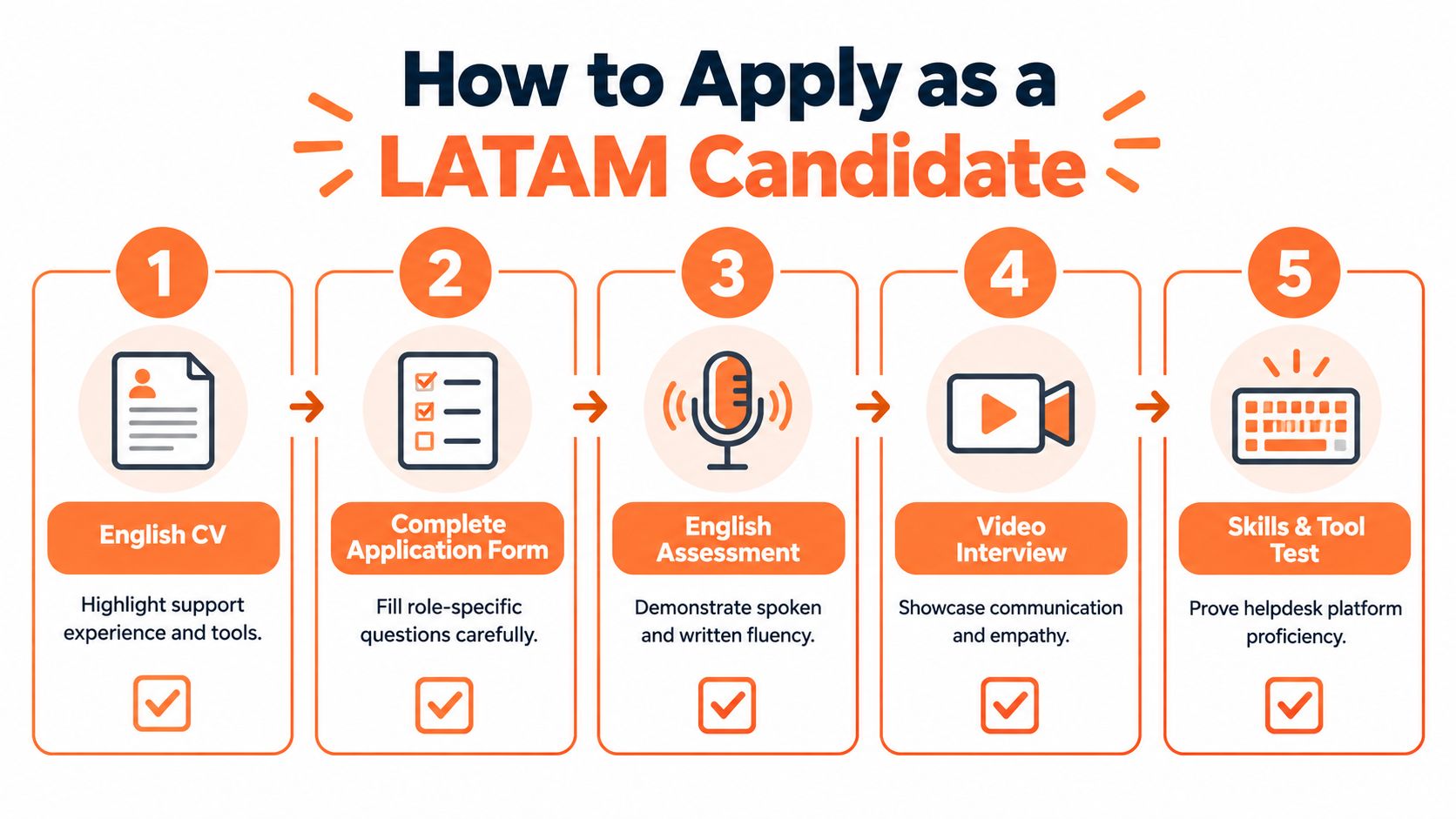
Use this preparation sequence:
- English CV: Highlight support experience, tools, communication, and documented responsibilities.
- Complete application form: Answer role-specific questions carefully and keep your information consistent.
- Language assessment: Prepare to demonstrate written and spoken English, not only reading comprehension.
- Video interview: Show clear communication, patience, listening, and a stable remote setup.
- Skills or tool test: Explain how you would prioritize tickets, document a case, use a knowledge base, or escalate an unresolved issue.
Self-screen before you submit
Read the posting as a checklist. Can you legally or practically work from the required location? Is your CV in the requested language? Can you commit to the stated hours? Do you recognize the support channels and tools?
Remote listings for Latin America can be highly structured. One listing requires candidates to reside in LATAM countries, submit resumes in English, and accept a defined work schedule (example of structured LATAM eligibility and application requirements). Meeting those conditions won't guarantee an interview, but missing them can remove you from consideration before your experience is reviewed.
For interview preparation, write short examples using the situation, action, and result format. Be ready to explain how you handled an upset customer, learned an unfamiliar tool, stayed organized during a busy queue, and decided when to escalate. Keep your answers factual and avoid claiming experience you can't discuss clearly.
Taking the Next Step in Your Remote Support Career
This career path tends to suit people who can combine patience with structure. You'll need to communicate clearly, follow a process, notice details, and remain dependable when working without someone sitting beside you. Empathy matters, but so does the ability to document a case in a way that another person can understand.
A sensible preparation plan is straightforward:
- Assess your English accurately: Separate written confidence from spoken confidence and practise the weaker area.
- Learn tool patterns: Understand tickets, statuses, tags, assignments, internal notes, and knowledge articles.
- Rewrite your CV: Show support channels, software, customer problems, and responsibilities in clear English.
- Check schedule fit: Convert the listed hours to your local time before applying.
- Prepare for practical tests: Practise writing a concise reply, prioritizing requests, and explaining an escalation.
You don't need experience with every platform named in a posting. You do need to show that you can learn systems, protect customer information, follow instructions, and communicate when a case falls outside the normal workflow. As automation handles more routine work, careful review, knowledge maintenance, and sound escalation judgment will become increasingly useful. For additional practice, these remote communication tips from Englify can help you refine written and spoken workplace habits.
Use the role description to decide whether the job matches your present skills or identifies a clear next skill to develop. Then create your Virtustant profile, browse current remote job openings, and complete your application information so your background can be considered for suitable customer support opportunities.
Virtustant Jobs offers a remote job platform where candidates can find structured opportunities across customer support and other functions. Visit Virtustant Jobs to review current roles, prepare your English-language application, and take the next step toward work that matches your skills and schedule.