About 3.5 million secretaries and administrative assistants held jobs in the United States in 2025, with median annual pay of $48,310. The modern administrative assistant is a remote operational coordinator who manages workflows, digital tools, documentation, and communication across time zones, not just someone who types and files documents.
The popular advice is often too narrow: learn office software, answer phones, and stay organized. Those skills still matter, but they don't fully answer what is an administrative assistant in 2026. In a remote company, the role connects people, priorities, information, and deadlines. An assistant may coordinate a distributed calendar in the morning, prepare a client report before lunch, and help a manager keep a cross-border project moving in the afternoon.
That shift creates a practical opportunity for professionals in Latin America, South Africa, and other supported markets. Candidates who can combine administrative accuracy, digital fluency, judgment, advanced English, and reliable remote communication can present themselves as operational partners rather than basic task performers.
Redefining the Modern Administrative Assistant
The outdated image of an administrative assistant centers on typing letters, filing paperwork, and answering a phone. Those duties can still appear in a job description, but they represent only one part of the function. The U.S. Bureau of Labor Statistics description of secretaries and administrative assistants includes filing, document preparation, appointment scheduling, and support for other staff, while also defining a role built around organization and coordination.
The profession has expanded over time. A historical account of the administrative assistant profession describes how administrative work grew to include office management, customer service, meetings and events, vendor coordination, research, presentations, databases, newsletters, onboarding, and supervision. The title changed because the work changed.
From task execution to workflow control
A remote administrative assistant doesn't just complete isolated requests. They often decide what needs attention first, identify missing information, coordinate people who aren't in the same office, and make sure a task reaches completion.
That makes the role a coordination node. Research on administrative work describes assistants as contributors to planning, prioritization, and workflow control, with the potential to reduce scheduling conflicts, communication delays, and fragmented tasks in structured office environments (research on administrative coordination and productivity).
Practical rule: If your work helps other people make decisions, meet deadlines, or avoid confusion, describe it as operational coordination, not only as clerical support.
For a LATAM candidate, this distinction matters on a CV and in an interview. “Answered emails” sounds narrow. “Managed a shared inbox, prioritized requests, routed issues, and maintained response follow-up” shows ownership and judgment. “Scheduled meetings” is accurate, but “coordinated calendars across departments and time zones” communicates the remote-work skill employers need.
The role remains a dependable entry point into operations, executive support, customer service, project coordination, and office management. Routine tasks may become more automated, but companies still need people who can interpret context, protect sensitive information, communicate clearly, and keep work moving when plans change.
Core Duties and Daily Responsibilities
An administrative assistant's day usually combines recurring tasks with unpredictable requests. The exact balance depends on the company, industry, seniority, and manager, but remote roles commonly involve email management, appointment scheduling, data entry, document preparation, and customer inquiries (remote administrative assistant responsibilities).
The routine layer
Some responsibilities are highly repeatable:
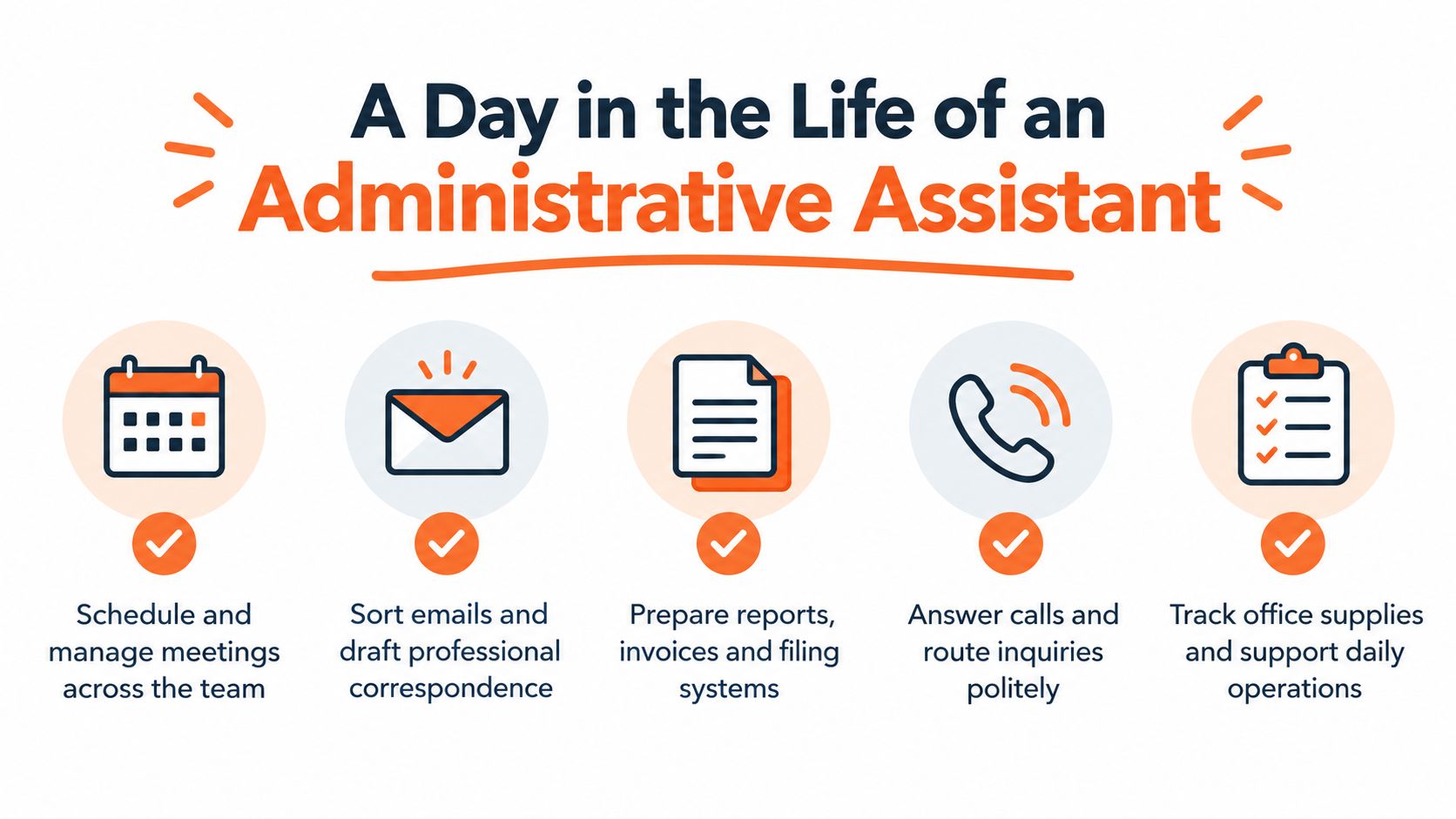
- Calendar management: Schedule, move, and confirm meetings while checking availability and priorities.
- Inbox support: Sort messages, draft professional replies, flag urgent matters, and track unanswered requests.
- Document handling: Prepare reports, presentations, forms, invoices, spreadsheets, and digital filing systems.
- Data maintenance: Enter information accurately and keep records or databases current.
- Communication support: Answer calls, route inquiries, and communicate with customers, vendors, or colleagues.
- Logistics: Assist with travel planning, expense tracking, supplies, and meeting arrangements.
These duties require more than speed. A small calendar error can create a conflict. A poorly named file can make information difficult to find. An incomplete spreadsheet can lead a manager to work from the wrong details. Accuracy, discretion, and follow-through turn routine work into dependable support.
The coordination layer
Higher-value administrative work begins when you connect several tasks into a working process. For example, scheduling a meeting may involve collecting availability, identifying the correct attendees, preparing an agenda, organizing documents, sending reminders, and recording follow-up actions. The assistant isn't merely placing an event on a calendar. They're protecting the meeting's purpose.
The administrative assistant skills assessment guidance highlights calendars, reports, presentations, records, correspondence, spreadsheets, Excel, and PowerPoint as part of the technical breadth expected in the role. Candidates should therefore audit their experience across both execution and coordination.
Ask yourself:
- Which workflows do I manage from request to completion?
- Which tools do I use every day?
- Who depends on my updates or documentation?
- What types of problems do I solve without constant supervision?
- How do I prevent missed deadlines or incomplete information?
A strong application turns those answers into evidence. Instead of listing “office support,” explain the systems you maintained, the people you coordinated, and the decisions you supported. Use real volumes or time saved only when you can verify them from your own work records.
Essential Software Skills and AI Tools
Remote administrative work depends on a practical software stack. Employers commonly expect candidates to work with Microsoft Office or Google Workspace, collaboration tools such as Teams or Slack, shared documents, spreadsheets, calendars, and digital filing systems. Some remote postings also ask for advanced English, particularly when the assistant works with international teams (example of remote administrative requirements).
A useful technology map
| Category | Standard Tools | Advanced Differentiators |
|---|---|---|
| Documents and spreadsheets | Word, Excel, PowerPoint, Google Docs, Google Sheets | Structured templates, formulas, data validation, presentation cleanup |
| Calendars and communication | Outlook, Google Calendar, Gmail, Teams, Slack, Zoom | Cross-time-zone scheduling, inbox rules, meeting workflows |
| Records and files | SharePoint, Google Drive, Dropbox, shared folders | Naming conventions, permissions, version control, retrieval systems |
| Task coordination | Trello, Asana, ClickUp, task boards | Status reporting, dependency tracking, recurring workflow design |
| Customer and business records | CRM systems and company databases | Clean data entry, follow-up queues, reporting, process documentation |
| AI assistance | Drafting, summarization, research support | Prompt design, review standards, workflow automation, privacy awareness |
You don't need to claim every platform. List the tools you've used, then show what you accomplished with them. “Google Workspace” is useful, but “managed shared calendars, prepared Google Sheets reports, and organized Drive folders” gives the employer evidence.
AI is changing the baseline. Recent reporting on administrative work describes growing use of AI for drafting, summarization, research, and workflow automation, while some hiring commentary emphasizes technology power users over people who use software only at a basic level (reporting on AI and administrative assistant work).
How to use AI responsibly
Use AI to create a first draft, summarize a long internal document, organize research notes, or suggest a repeatable workflow. Then review every output for accuracy, tone, missing context, confidential information, and unsupported assumptions. AI should reduce repetitive effort, not remove your responsibility for the final result.
A candidate who can explain that review process will stand out more than someone who only lists an AI tool. For broader software selection ideas, you can also consult these productivity recommendations from Voice Control Pro, then focus your learning on platforms that appear in the roles you want.
Navigating Remote and Cross-Border Work
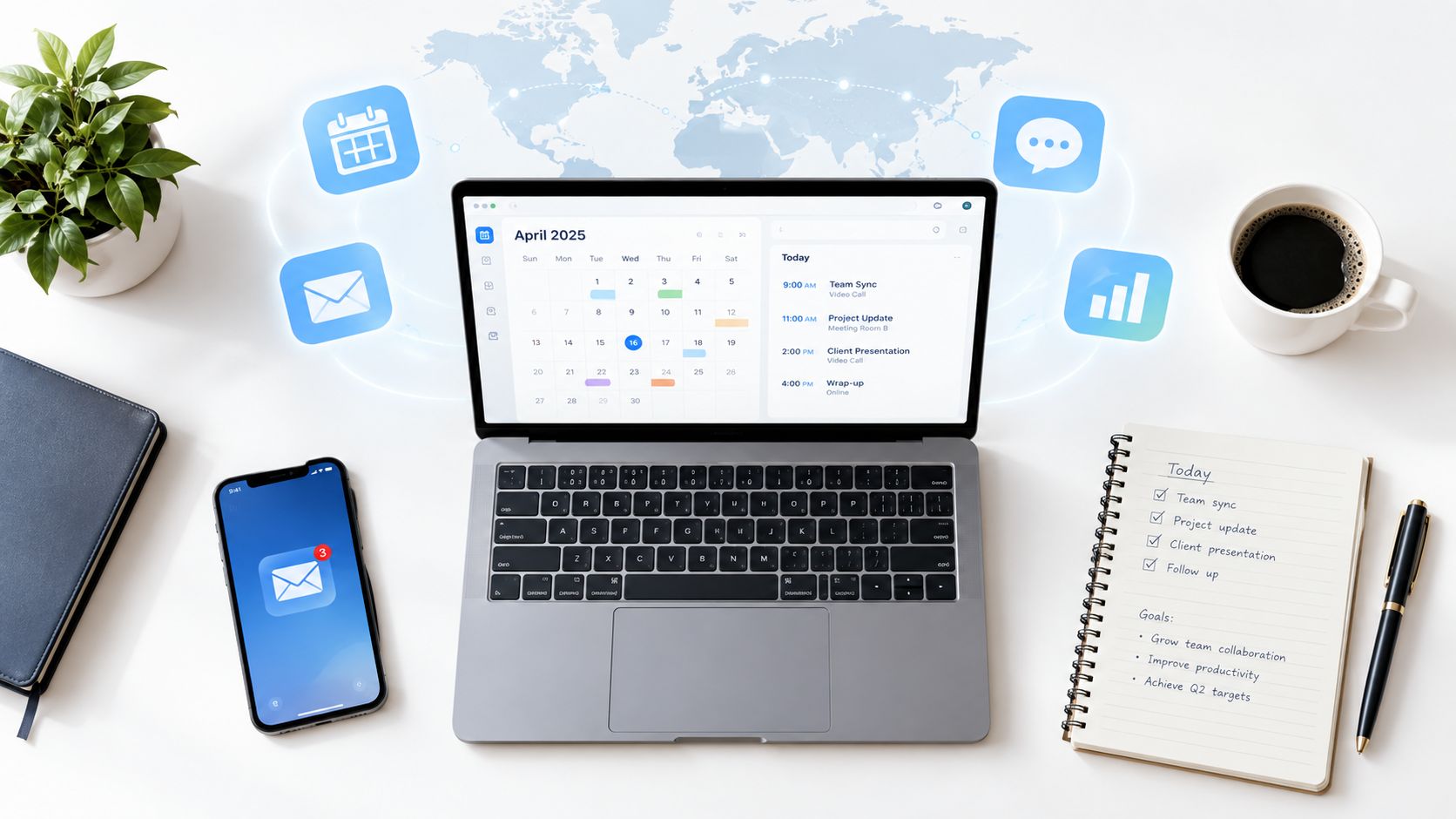
Remote administrative work is no longer clerical support performed from another location. It functions more like a coordination hub, connecting managers, customers, vendors, calendars, documents, and AI-assisted workflows across borders. A professional in Bogotá or São Paulo may support a team in the United States while keeping communication, timing, and information security aligned.

Some roles specify U.S.-aligned hours, including 9 AM to 5 PM EST, and expect same-day or within-24-hour responses. They may also involve electronic signatures, online filing systems, and other secure digital workflows (remote work mechanics and secure digital workflows). AI can help prepare drafts, summarize updates, or organize requests, but the assistant remains responsible for checking accuracy, privacy, and context before information reaches a client or manager.
The communication standard
Advanced English often supports the work itself. You may need to write a concise email, interpret an indirect request, summarize a meeting, explain a scheduling conflict, or understand a customer's unfamiliar phrasing. Clear communication turns scattered details into instructions that another person can act on.
Before applying, confirm:
- Working hours: Can you cover the stated schedule consistently?
- Response expectations: Can you acknowledge and process requests within the required window?
- Meeting habits: Can you confirm the time zone in every important invitation?
- Security: Can you protect credentials, documents, customer information, and signed forms?
- Connectivity: Do you have a stable setup and a backup plan for interruptions?
Use a calendar that displays multiple time zones. Include the city or time-zone label in important invitations, rather than relying on a local time alone. The SyncThemCalendars time zone guide offers a practical process for reducing scheduling errors.
For regional context, review Virtustant's guide to time-zone work in South America. LATAM professionals may offer useful overlap with North American teams, but that advantage becomes clear only when availability, English communication, reliable connectivity, and secure digital habits are easy to verify.
A strong candidate presents these abilities as a repeatable system: confirm the time, record the decision, protect the information, and use AI or automation only after defining the review step.
Seniority Levels and Career Progression
Administrative careers don't follow a single ladder, but the difference between levels usually comes down to scope, judgment, and proximity to business decisions. An entry-level assistant may complete defined tasks with clear instructions. An executive assistant may protect a leader's time, manage sensitive communication, coordinate complex priorities, and represent that leader with internal and external contacts.
The Bureau of Labor Statistics outlook for secretaries and administrative assistants projects a 2% employment decline from 2025 to 2035 for the broader occupation. That projection doesn't mean administrative work disappears. It reinforces the need to distinguish routine office support from adjacent roles that depend more heavily on coordination, judgment, and operational ownership.
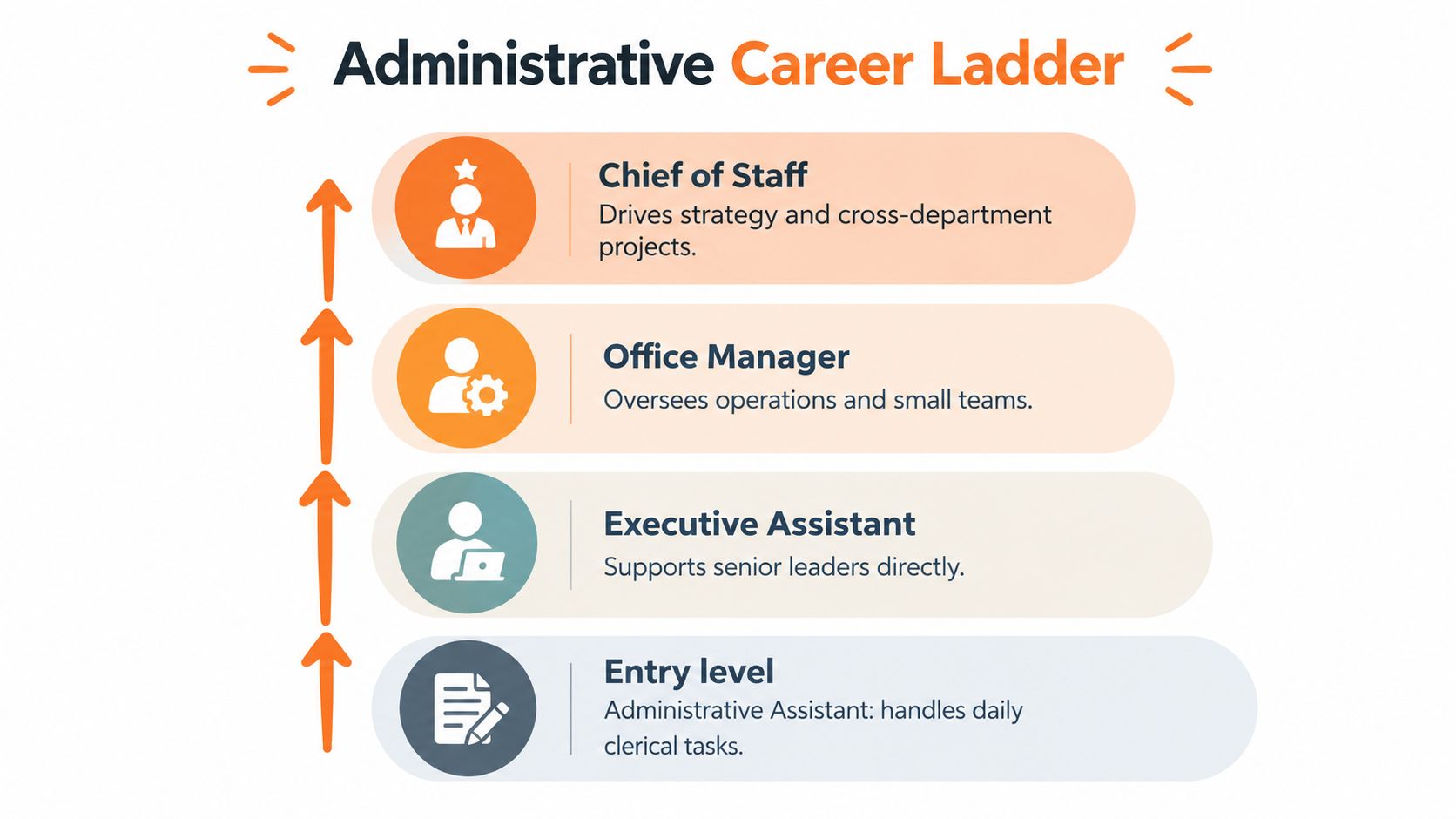
Comparing common progression paths
| Level | Main contribution | Capabilities to build |
|---|---|---|
| Administrative assistant | Completes daily support and documentation tasks | Accuracy, organization, software fluency, professional communication |
| Executive assistant | Supports senior leaders and manages sensitive priorities | Judgment, discretion, complex scheduling, stakeholder management |
| Office manager | Oversees office operations, vendors, systems, and sometimes staff | Budget awareness, process ownership, people coordination |
| Project or operations coordinator | Keeps cross-functional work organized | Status tracking, documentation, dependencies, follow-up |
| Chief of staff | Supports strategy and cross-department execution | Prioritization, executive judgment, strategic communication |
Not every person needs to become a chief of staff. A remote assistant may prefer executive support, customer operations, project coordination, or specialized administration in healthcare, legal, finance, or property management. The important step is to choose a direction and build the capabilities that direction requires.
Routine tasks can open the door, but judgment and coordination create mobility.
If you're exploring adjacent paths, Virtustant's guide to marketing assistant jobs illustrates how administrative strengths can transfer into a different business function. Look for postings that give you ownership of processes, not only a longer list of repetitive tasks.
Optimizing Your Profile for Remote Roles
A strong remote profile translates your past work into the language of distributed operations. Employers need to see what you managed, which tools you used, how you communicated, and whether you can work independently. A job title alone won't provide that context.
Start with a precise positioning statement
Your headline should identify your support area and strongest capabilities. For example:
Administrative assistant with experience in calendar management, document preparation, customer communication, and remote coordination.
If you have worked with executive schedules, say so. If you support finance, healthcare, property, sales, or another function, name it only when your experience supports the claim. Add tools such as Excel, PowerPoint, Outlook, Google Workspace, Teams, Slack, or a CRM when you've used them.
Turn duties into evidence
Use action, responsibility, and context:
- Weak: “Responsible for emails and scheduling.”
- Stronger: “Managed a shared inbox, scheduled client meetings, and maintained follow-up records.”
- Weak: “Helped with reports.”
- Stronger: “Prepared recurring reports, checked spreadsheet data, and organized files for manager review.”
- Weak: “Worked with international clients.”
- Stronger: “Coordinated written communication and meeting logistics with clients across different time zones.”
Don't invent metrics. If you know that you scheduled a specific number of meetings, processed a documented volume of requests, or reduced manual steps through an approved automation, include the figure and be ready to explain it. If you don't have verified measurements, describe the scope accurately and concretely.
Complete your Virtustant profile carefully
Include your location, working hours, English level, relevant tools, employment history, and role preferences. Check that your CV uses the same truthful terminology as the job description, such as calendar management, records management, meeting coordination, document preparation, data entry, confidentiality, and cross-functional support.
Then prepare for interviews with short examples. Explain how you handled a scheduling conflict, protected sensitive information, clarified an unclear request, or used a digital tool to keep work organized. Remote employers are listening for your process, not only the final result.
Finding and Applying for Opportunities
A scattered job search encourages random applications. A focused search starts with role fit: administrative assistant, virtual assistant, executive assistant, appointment setter, receptionist, transaction coordinator, property administrator, or operations support. Read each posting for duties, tools, schedule, English expectations, and seniority before submitting your application.
A specialized remote platform can reduce the time spent searching across unrelated sources. Virtustant Jobs connects qualified candidates with remote opportunities, provides structured role information, and supports standardized applications and talent-pool enrollment. You can also use career resources from Polychat to strengthen your understanding of remote hiring and workplace communication.
Apply with a repeatable process
- Filter for fit: Check time-zone requirements, work hours, language expectations, and the software named in the posting.
- Tailor your evidence: Adjust your summary and experience bullets to match the responsibilities you genuinely performed.
- Complete your profile: Add your CV, work history, tools, location, availability, and contact information.
- Prepare your examples: Keep concise stories ready about organization, communication, problem-solving, and remote collaboration.
- Track submissions: Record the role, date, requirements, follow-up status, and questions you want to ask.
Don't apply only because the title contains “administrative.” A role focused on reports and spreadsheets may suit someone with strong data organization. Another may emphasize customer communication, appointment scheduling, or executive support. For a related career direction, compare your transferable skills with lifecycle marketing jobs.
The strongest candidate profile makes three things easy to understand: what you can do, how you work remotely, and where you can create reliable coordination. That clarity helps hiring teams assess your fit without guessing.
Virtustant Jobs offers remote opportunities and a talent pool for qualified professionals exploring administrative, support, operations, marketing, and other cross-border roles. Create your profile at Virtustant Jobs, complete your application information, and browse current openings that match your tools, English level, availability, and career goals.