The fastest way to get executive support wrong is to treat it like typing with a calendar. Executive virtual assistant work is closer to operations control, because the actual job is protecting an executive's time, judgment, and follow-through across messages, meetings, documents, and people who are often in different places at the same time.
If you're applying through Virtustant, stop selling yourself as “organized.” Sell yourself as someone who can keep a leader moving when the workday is fragmented by time zones, confidential material, and constant reprioritization. That is the standard, and it's higher than most candidates expect.
Redefining the Executive Virtual Assistant Role
A lot of candidates undersell this role because they think remote executive support is just inbox cleanup and simple scheduling. That mindset will hurt you. Executive assistant work is built around coordination, communication, and judgment rather than simple data entry. That is the accurate frame, and you should use it when you write your profile, CV, and interview answers.
The shift to virtual delivery changed where the work happens, not what the work is for. A remote assistant still protects decision quality, keeps meetings from collapsing into noise, and makes sure the executive doesn't have to chase basic context. The location changed. The standard didn't.
What an administrative assistant does in practice is a useful starting point, but an executive virtual assistant sits above routine admin. You're handling higher-stakes coordination, more sensitive communication, and more judgment calls. If a recruiter thinks you only file documents and book calls, you haven't described your value clearly enough.
Practical rule: If your résumé only says “managed calendars and emails,” it sounds replaceable. If it shows that you protected executive attention, resolved conflicts, and handled confidential coordination independently, it sounds valuable.
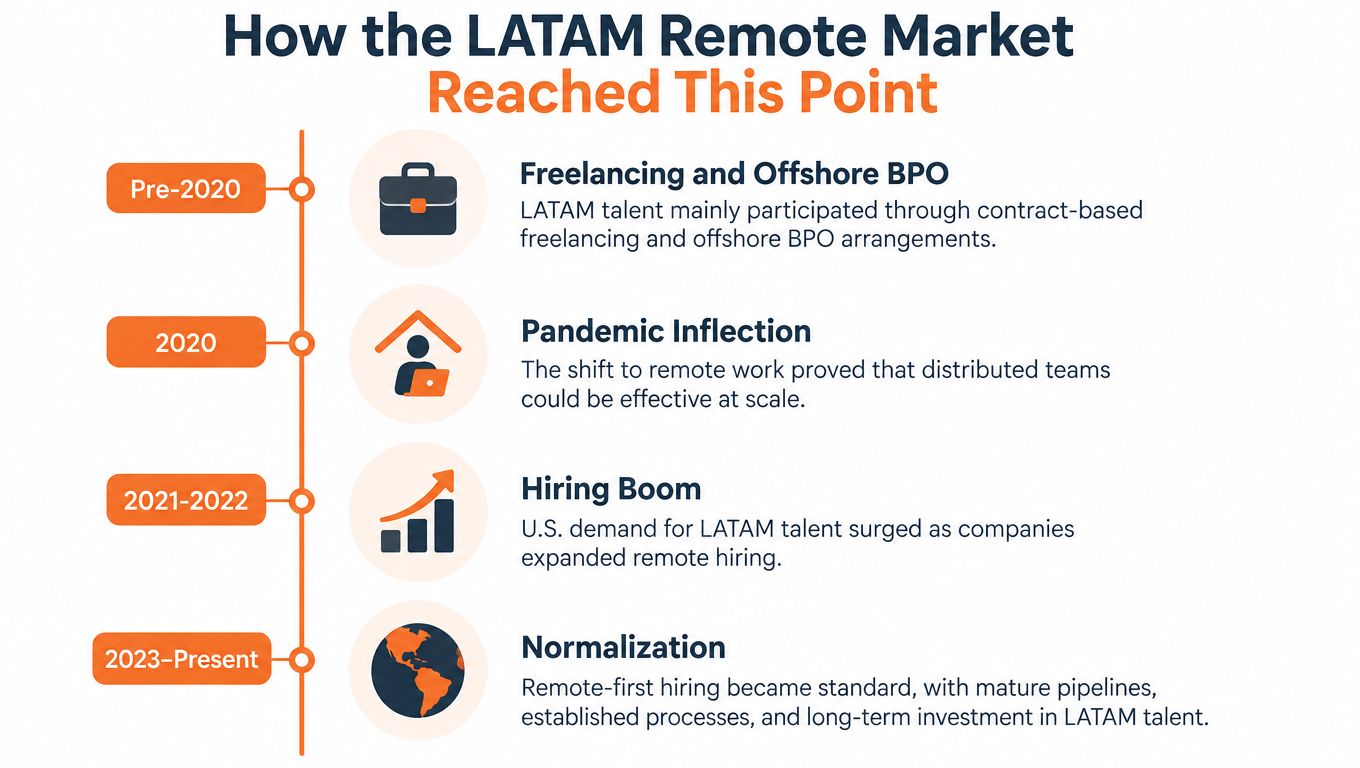
That distinction matters for Virtustant candidates in Latin America, South Africa, and other cross-border markets. Employers aren't hiring a task runner. They're hiring someone who can keep executive operations steady while the rest of the business moves fast.
Core Responsibilities and Required Technology Stack
The core of this role is not complicated, but it is demanding. You're managing scheduling, communication, travel, document flow, and follow-through in a way that keeps an executive from getting dragged into low-value work. U.S. Bureau of Labor Statistics projections identify 502,800 executive secretaries and executive administrative assistants employed in 2024, performing high-value functions including calendar management, correspondence, and travel logistics source. That's the baseline, and virtual support is built on the same operational spine.
What the work actually looks like
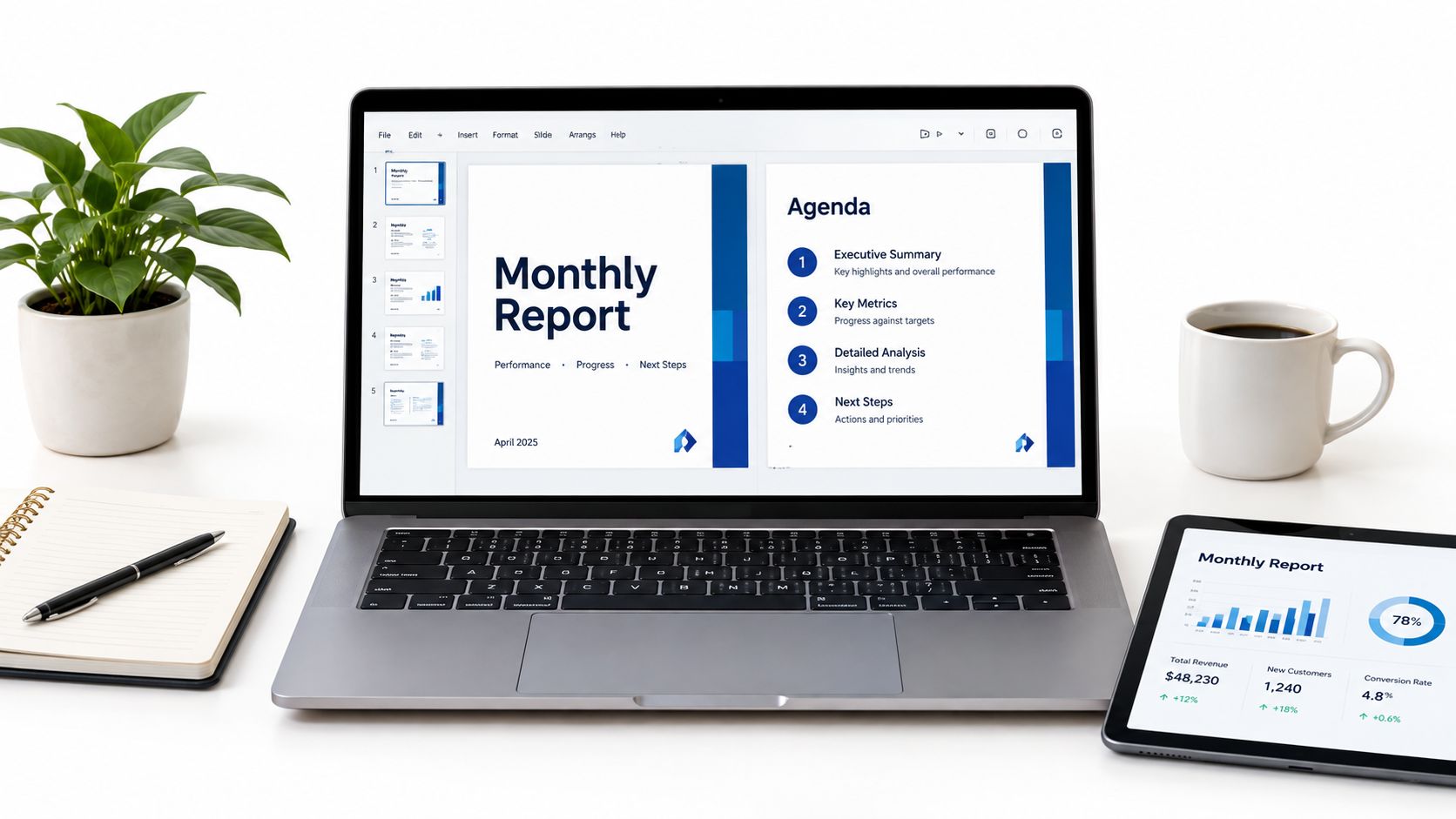
A strong assistant handles the unglamorous pieces that create executive leverage. That includes calendar protection, buffer planning, travel logistics, document prep, stakeholder updates, and keeping decisions visible after meetings end. In distributed teams, the assistant often becomes the person who remembers what was agreed, what still needs approval, and what can wait.
The technology stack should match that reality. Learn Google Calendar or Outlook, Gmail or Microsoft 365, one project system such as Asana, ClickUp, or Notion, and a video tool like Zoom or Microsoft Teams. Add shared docs, file naming discipline, and basic CRM updating if the job touches sales, partnerships, or client operations.
The point isn't to list software on your profile. The point is to show you can use these tools to reduce executive friction. If you've handled overlapping requests, moved meetings without creating confusion, or turned messy email threads into clear action items, say that directly. That's the evidence employers want.
How to show this on your profile
Use examples that prove judgment, not just activity. Say that you coordinated cross-time-zone meetings, created briefing notes before leadership calls, or handled confidential correspondence without escalation. If you've used cloud docs to keep version history clean, mention that too.
Don't say you're “good with tools.” Say which tools you used, what you controlled with them, and what went wrong when the process wasn't tight.
For more context on how remote work expectations differ by region, the South America time-zone guide is worth reading before you apply. It helps you understand how overlap, communication windows, and local schedules affect real hiring decisions.
For a practical companion perspective on managing work across regions, the productivity guide for digital nomads is a useful reference point, especially if you're building a routine that can survive shifting schedules and long stretches of asynchronous work.
And if you want a realistic view of tools in motion, watch the embedded workflow example below with the mindset of an operator, not a note-taker.
Navigating Time Zones and Asynchronous Workflows
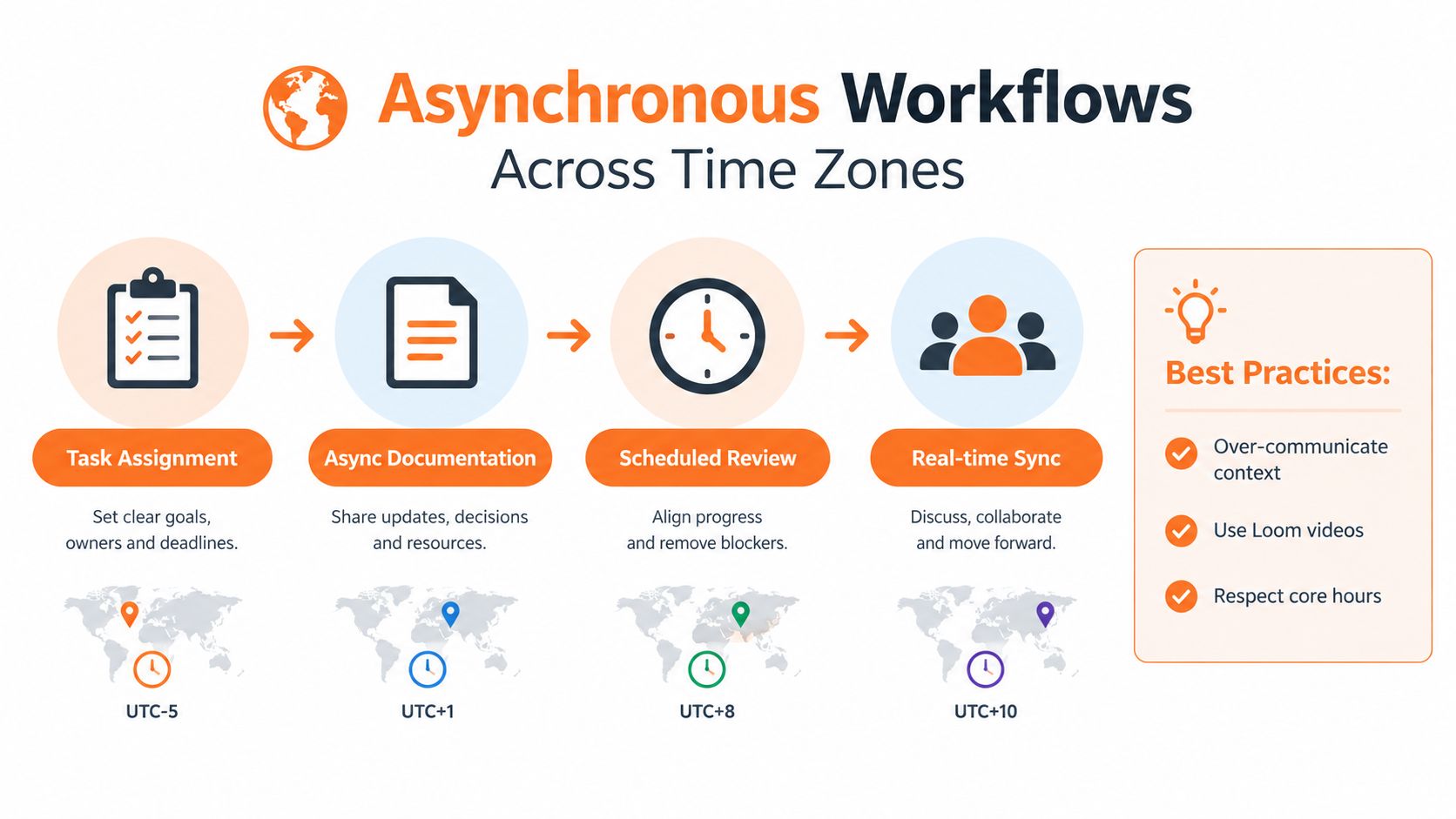
If you're in LATAM and supporting a U.S. executive, don't pretend the time difference is a side note. It shapes the work. Research covering more than 12,000 multinational employees found that synchronous communication declined by 11% for every additional one-hour difference between workers, while asynchronous communication remained largely consistent source. That means your job is to preserve context, not chase constant live availability.
Build for async first
Use decision logs, task boards, and standardized email labels. If a decision happened in Slack, move it into a place where the executive can find it later. If a request is waiting on input, mark it clearly. If something is urgent, say why and what's blocking it.
That approach keeps your work readable across time zones. It also protects you from the chaos that starts when every message becomes an emergency. You should reserve live overlap for ambiguous issues, sensitive calls, and executive decisions that really need a quick back-and-forth.
A useful habit is to write like the next person who opens the message won't have any context. That means clear subject lines, dated notes, and explicit next steps. If you've ever rebuilt a meeting thread from scratch because the original context was buried in five apps, you already know why this matters.
State your overlap clearly
Your profile should say where you are, what hours you work, and how much overlap you can provide with U.S. business hours. Don't leave recruiters guessing. For many remote postings, schedule expectations matter more than country alone, and you should read them like requirements, not suggestions. The Virtustant regional guide for time overlap is the right place to compare that reality with your own schedule.
You also need to be honest about sustainability. U.S. overlap can mean late evenings in some Latin American markets, and that's not a small detail. It affects your energy, your boundaries, and how long you can stay sharp.
Operational rule: Use overlap time for decisions and escalations. Use asynchronous time for prep, research, calendar cleanup, CRM updates, and draft communication.
If you want a practical benchmark for working while distributed, the productivity guide for digital nomads can help you tighten your routine without pretending every hour needs a live meeting.
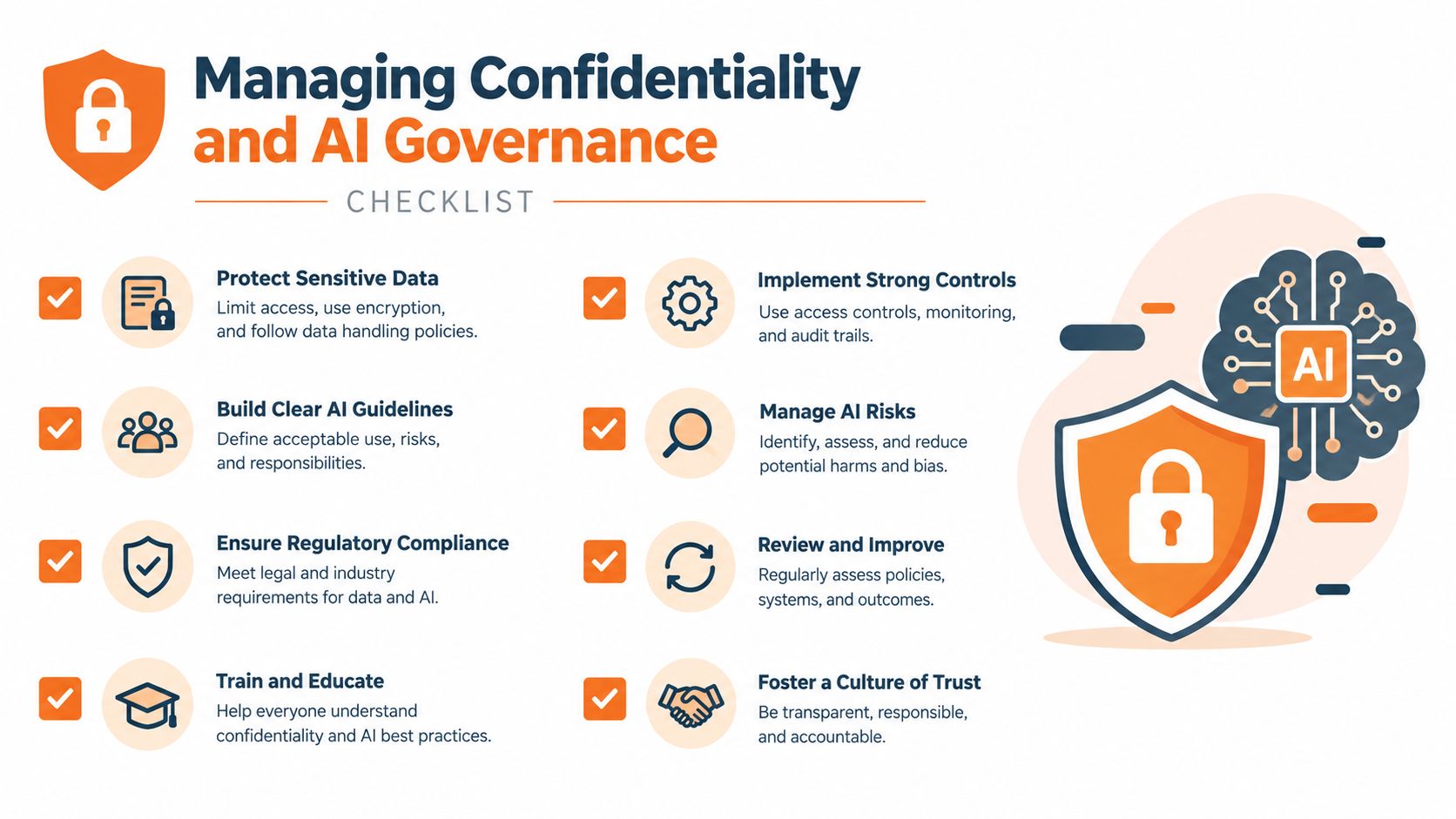
Managing Confidentiality and AI Governance
AI is already inside executive workflows, and ignoring that reality is a mistake. Most executives now use AI tools in their daily workflow, yet many still don't fully trust the output, and plenty of companies haven't defined clear internal rules for acceptable AI use. That is not a side issue. It is a direct hiring advantage for assistants who can handle confidentiality with discipline.
Draw a hard line around data
Use a simple classification mindset. Public information can be organized and summarized more freely. Sensitive internal information, board materials, customer data, financial forecasts, passwords, legal documents, and unreleased strategy should stay under human control. Don't paste confidential text into tools that haven't been approved.
That doesn't mean AI has no place. It does mean the assistant has to know where the line is. Drafting a public-facing summary is one thing. Processing a board packet is another. If you can explain that distinction in an interview, you already sound more trustworthy than candidates who talk about AI like it's harmless by default.
Make governance visible
Good assistants don't just use tools. They document how tools are used. You should expect data classification rules, redaction habits, approved tool lists, and sign-off procedures to exist before you touch sensitive workflow. If they don't, ask.
For a practical angle on this kind of discipline, managing sensitive work securely gives a useful frame for thinking about confidentiality as an operating habit, not a checkbox. Apply that mindset to prompts, file sharing, and response drafts.
Best move: If a process feels too sensitive to automate, keep it human. The assistant's value is often in judgment, not speed.
The strongest candidates position themselves as gatekeepers. You're not just saving time. You're preventing mistakes, protecting trust, and making sure AI output is reviewed before it becomes executive reality.
Setting Professional Boundaries for Sustainable Support
Remote support falls apart when the assistant is expected to be available all the time. Recent role descriptions report that remote assistants frequently struggle to separate work from personal time, especially when executives expect evening or weekend availability, which makes measurable boundaries essential source. If you ignore that now, you'll pay for it later in burnout, sloppy execution, and resentment.
Define the service model before you accept the role
Ask how many executives you support, what your response windows are, and what counts as urgent. Ask whether weekends are required or just “nice to have.” Ask who covers you when you're offline. If the answers are vague, the role is vague.
A sustainable model should spell out coverage windows, escalation rules, and the kinds of tasks that can wait until the next working block. That protects both sides. The executive gets predictability, and you avoid living inside a permanent emergency.
Stop treating responsiveness as professionalism
Fast replies are not the same as good support. A good assistant protects attention, sets expectations, and refuses low-value interruption when it would damage the schedule. The best support is often the one that reduces noise before it reaches the executive.
If a posting uses fuzzy language like “fast-paced” without explaining hours or overlap, treat it carefully. That kind of wording often hides unpredictable availability. You should read the posting as if the schedule matters, because it does.
Being easy to reach is not the same as being effective. Clear rules beat constant interruption.
Candidates who negotiate boundaries early usually perform better once they start. They know when to answer, when to escalate, and when to defer. That clarity helps the executive too, because it keeps the workflow from turning chaotic.
Optimizing Your Profile and Applying on Virtustant
Remote hiring is much easier when your profile proves that you understand cross-border work. Many U.S. teams still work from home only part of the week, which is another reason you can't assume every posting means flexible hours from anywhere. Read the schedule, then decide whether your availability actually fits.
Make your profile specific
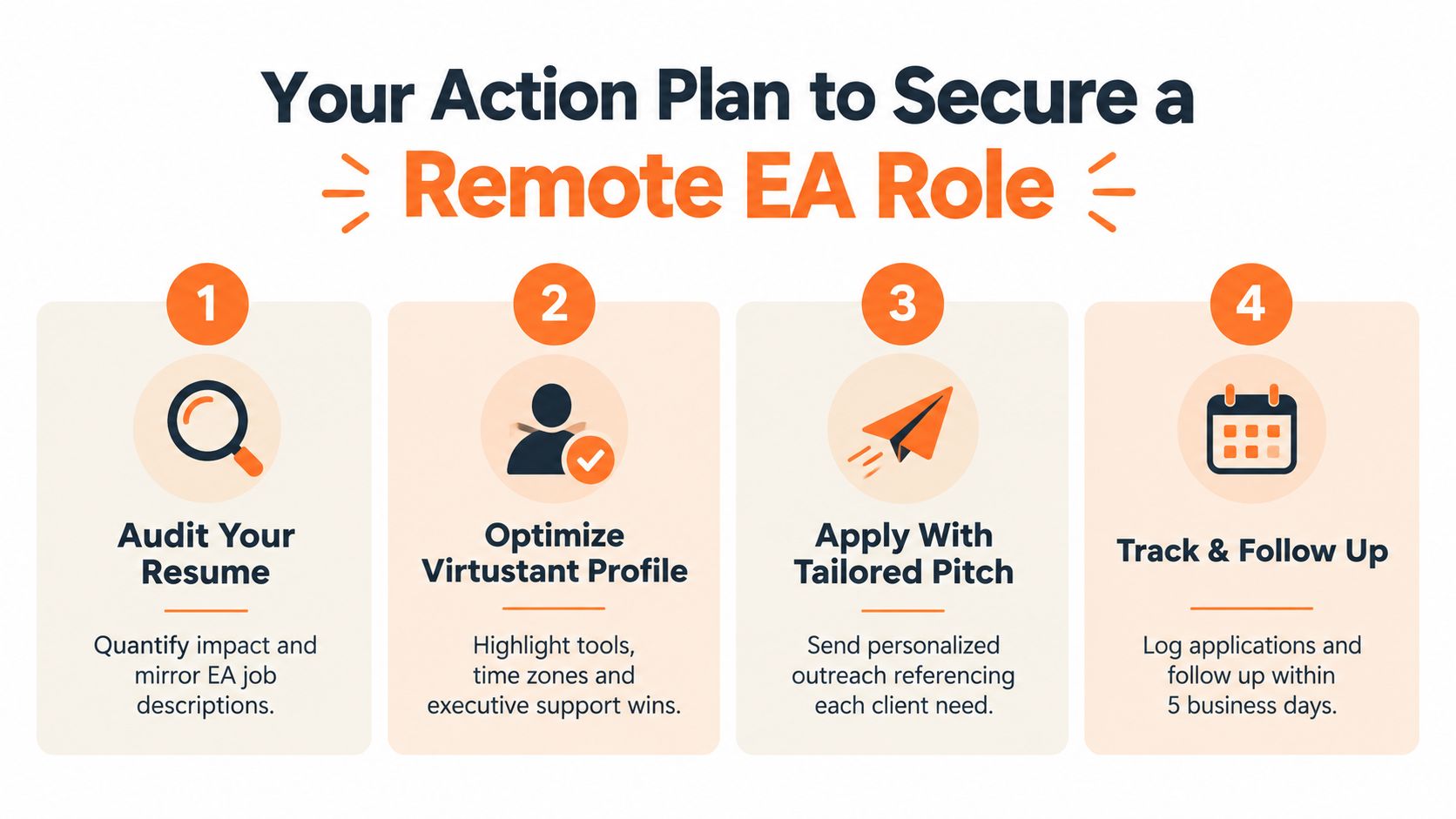
Your Virtustant profile should show time zone, working hours, English level, tool stack, and executive support experience. Don't just say you've supported leadership. Show where you handled calendar complexity, confidential communication, travel prep, and action-item tracking. If you've supported U.S.-aligned schedules, say so plainly.
Also compare what you've done to the posting itself. If the role asks for fixed overlap, your profile should state it. If it asks for a specific tool, put that tool near the top. If you've worked asynchronously across borders, show that clearly.
A good external reference for sharpening a remote job profile is the AI resume builder, especially if you need help tightening your summary and translating experience into clearer language. Use it for structure, then edit the content so it reflects your real work.
Apply with discipline
Before you click submit, verify location restrictions, hours, and language requirements. Don't assume “remote” means borderless. It often doesn't. The best sites to find remote work is useful context if you're comparing where a role sits inside the wider remote market.
For Virtustant specifically, your goal is simple. Complete your profile fully, choose roles that match your overlap and skill set, and apply only when the schedule fits. If the posting expects executive-level judgment, prove you have it with examples, not adjectives.
Virtustant Jobs connects candidates with remote openings that demand real operational skill, not vague “organization.” If you can handle time zones, confidentiality, and executive coordination, build your profile and look through the current roles at Virtustant Jobs. The right match starts with a profile that shows you understand the work, not just the title.