You're in a remote interview from Lima or Johannesburg, and the hiring manager asks how you'd manage a busy inbox, work reliably from 9 AM to 5 PM Eastern Time, and keep client records private. Knowing Gmail, Google Calendar, or Excel helps, but it doesn't answer the question underneath: can you make sound decisions when instructions are incomplete, priorities change, and no one is sitting beside you?
Employers assess virtual assistants skills as a combination of practical tools and dependable habits. The strongest applications show both. They explain what you managed, which systems you used, how you checked your work, and how you handled exceptions without exposing confidential information. This skills-first approach is also consistent with the broader shift toward evaluating demonstrated capability rather than relying only on job titles, as discussed in this guide to skills-first talent.
The ten skills below focus on what remote work requires. Each one includes a practical example, a way to present it on your CV or Virtustant profile, and an interview angle that helps a recruiter see how you work.
1. Email and Calendar Management
Email and calendar management is the operational centre of many virtual assistant roles. You may sort an executive's inbox, draft replies, schedule meetings, resolve conflicts, send reminders, and keep follow-up work from disappearing. The work requires more than speed. You need discretion, prioritisation, and enough judgment to know what can be handled independently and what should be escalated.
A virtual assistant in Bogotá supporting a U.S.-based executive might organise messages by urgency, protect focus blocks in the calendar, confirm meetings with a concise template, and send a daily summary of unanswered requests. An assistant supporting a consultancy in Mexico City might monitor a shared inbox and flag urgent client messages for same-day attention.
Practical rule: Don't describe yourself as “good at email.” Explain the routine you used to sort, flag, draft, follow up, and protect the manager's time.
How to prove it
On your CV, name the systems and the process. Mention Google Calendar, Outlook Calendar, Calendly, Gmail, or Microsoft Outlook only when you've used them, then connect each tool to a responsibility. For example, you might describe maintaining a shared executive calendar across time zones, preparing meeting confirmations, or tracking follow-ups in a flagged inbox.
In an interview, explain how you'd handle a double booking. A strong answer includes checking priorities, identifying which meeting has greater business importance, proposing alternatives, informing affected participants promptly, and documenting the change. Don't share confidential details from previous employers. Describe the situation and your decision-making process instead.
2. Professional Written Communication in English and Spanish
A client in Bogotá sends instructions in Spanish, while the U.S. manager needs a concise English summary before the next Eastern Time meeting. The assistant must preserve the decision, assign the owner, state the deadline, and match the tone to each reader. Written communication also covers supplier messages, customer updates, and internal documentation.
A South African assistant might explain a service delay in plain English, provide a realistic revised timeline, and avoid jargon. A bilingual assistant may translate intent rather than individual words, since a literal version can sound abrupt or unclear. These examples show why professional writing supports building authentic communication skills across remote teams.
The CEFR language level descriptions define levels from A1 to C2. State speaking and writing abilities separately when they differ. A supported level is more useful than an unqualified claim of “fluent.”
How to prove it
On your CV, specify the languages used professionally and the work involved: client emails, call summaries, scheduling, or documentation. Support a claimed level with a certificate, assessment, or demanding writing sample.
Add a short sample to your Virtustant profile, with confidential details removed. In an interview, explain how you turn a vague request into a confirmation email. Describe checks for names, dates, tone, deadlines, and attachments before sending. Mention how you handle sensitive information under applicable local data protection requirements without disclosing an employer's records.
3. Time Zone Coordination and Scheduling Across Regions
A remote job can fail before the first task starts if the candidate and employer mean different things by “Eastern Time.” A virtual assistant in Lima may need to support a U.S. team during a stated 9 AM to 5 PM Eastern schedule. A colleague in Johannesburg may need to coordinate recurring calls with a team in the United States while accounting for different local working hours.
The IANA Time Zone Database records historical UTC offsets and daylight-saving rules for locations worldwide. That matters because EST can refer specifically to Eastern Standard Time, while Eastern Time may include seasonal clock changes. Candidates should confirm the employer's intended schedule rather than making assumptions.
How to prove it
State availability in both your local time and the employer's time zone. Include your location, normal working window, UTC offset when useful, and whether you can maintain the required overlap. A candidate in Lima might write, “Available for the employer's Eastern Time schedule, with local availability confirmed during the application process.” A candidate in Johannesburg should explain the overlap they can reliably maintain.
In an interview, describe how you'd schedule a recurring meeting. You'd confirm the intended zone, display the zone in the calendar invitation, check seasonal changes, and send a written confirmation. The South America time-zone guide can help candidates understand why local and client schedules should be stated clearly.
4. Spreadsheet Management and Data Entry
Spreadsheet work rewards accuracy, not just fast typing. Virtual assistants may clean contact lists, enter records, apply filters, use basic formulas, reconcile information, and prepare summaries for a manager. A small error in a client record, invoice tracker, or inventory file can affect later decisions, so recruiters want to know how you check your work.
An assistant maintaining a sales spreadsheet in Colombia might remove duplicate contacts, standardise company names, and add a status field that helps the sales team decide who needs follow-up. A bookkeeping support candidate in Buenos Aires might compare payment records with a bank export and flag mismatches for review instead of changing the data without notification.
How to prove it
Describe the purpose of the spreadsheet, not only the software. “Used Google Sheets to maintain a searchable client database and flag incomplete records” is stronger than “proficient in spreadsheets.” Name Microsoft Excel or Google Sheets, and mention functions or methods you use, such as filters, sorting, conditional formatting, lookups, formulas, or data validation.
A practical assessment may ask you to clean a small data set. Explain your checks before making changes. You might look for duplicates, inconsistent formats, missing fields, incorrect dates, and values that don't match the source. If you have a certificate or a dated practical assessment result, include it accurately.
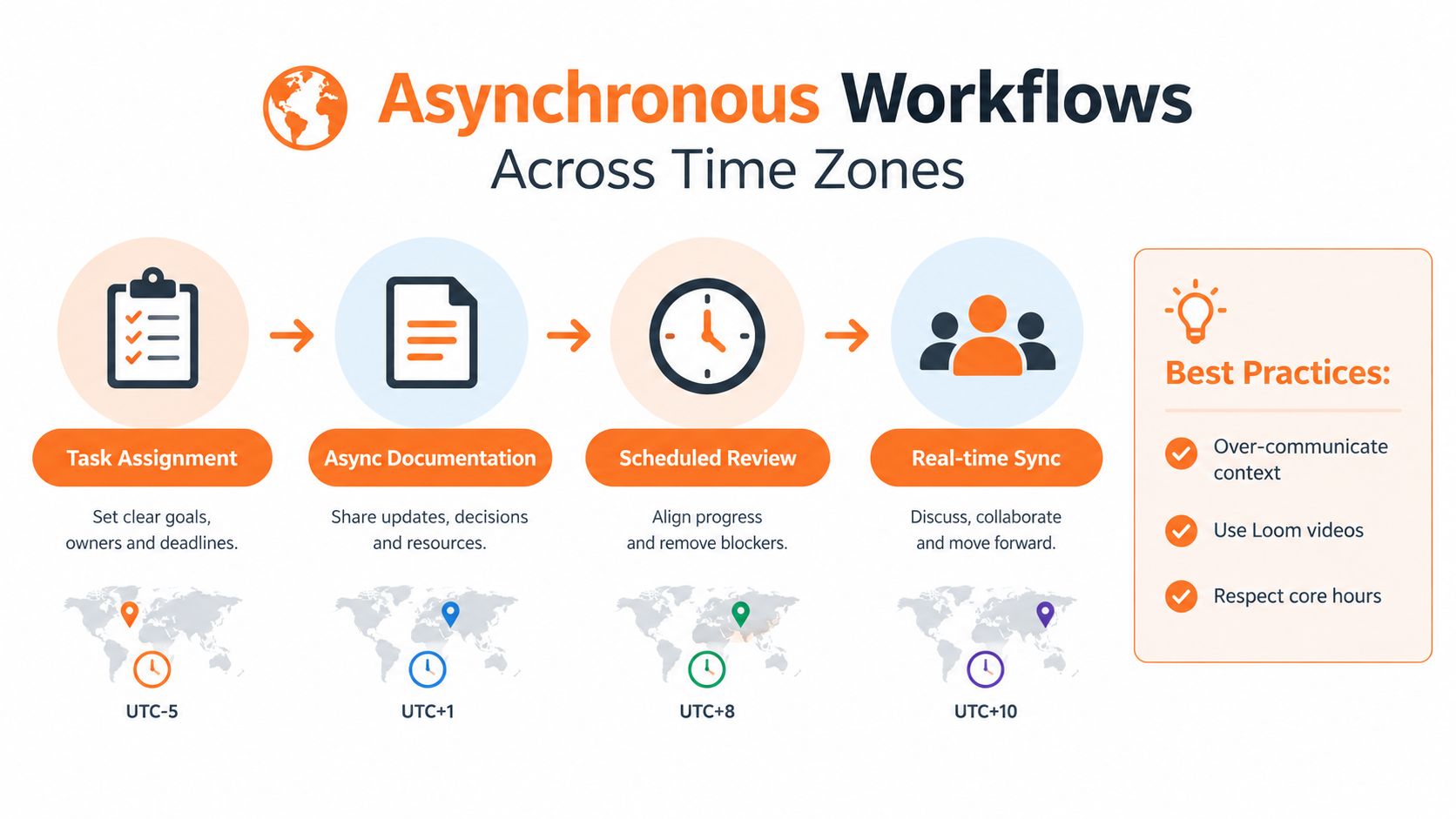
This time-zone coordination concept map is also a useful reminder that scheduling accuracy depends on a repeatable process, not memory alone.
5. Project and Task Management Tools
Remote assistants often coordinate work between people who don't share an office or even the same working day. Task management turns scattered messages into visible work. You may create tasks, assign owners, add deadlines, track status, post updates, and identify blockers before a deadline is missed.
A virtual assistant supporting a marketing team might structure a board with stages such as Requested, In Progress, Review, and Done. A candidate in Santiago might track onboarding tasks for a new hire, attach the required documents, and send reminders before deadlines. The point isn't to create complicated boards. It's to make ownership and next action clear.
How to prove it
Name the tools you've used, such as Asana, Trello, ClickUp, Monday.com, or Jira, and describe how you structured work in them. A recruiter needs to see whether you understand task ownership, dependencies, due dates, and status updates, not just whether you've opened the software.
A useful asynchronous update answers three questions: what's finished, what's next, and what's blocked.
In an interview, explain how you'd respond when a task is overdue. You might check whether the owner needs information, update the status, notify the relevant person, and propose a revised path. Avoid saying that you'd send repeated messages until someone responds. Good remote coordination creates a reliable record in the system and escalates only when necessary.
Candidates interested in broader coordination work can compare these habits with the expectations described in remote project manager jobs.
6. CRM Data Handling and Customer Records
A CRM contains the history that sales, support, and account teams use to decide what happens next. Virtual assistants may update contact records, log calls, schedule appointments, route tickets, change lead statuses, and add notes after customer interactions. Accuracy and consistency matter because an incomplete record can cause a missed follow-up or an awkward customer experience.
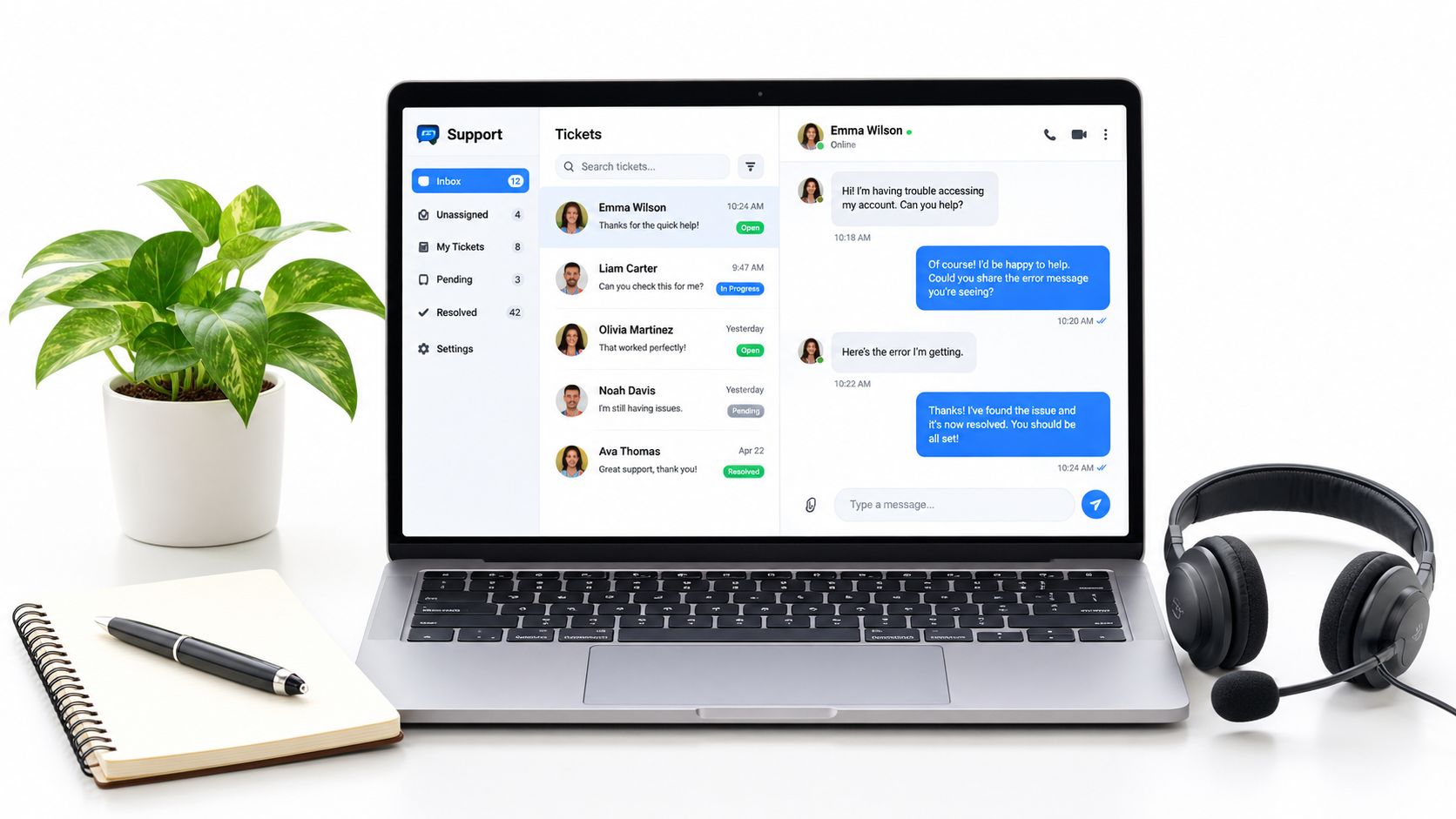
An appointment setter in Colombia might book a sales call, update the lead stage, and add concise notes for the closer. A support representative in Cape Town might route tickets by category and record the resolution so another team member can understand the customer's history.
How to prove it
List the CRM platforms you've used, such as HubSpot, Zoho CRM, or Salesforce, then specify the actions you performed. “Updated lead stages, logged calls, scheduled appointments, and maintained contact fields in HubSpot” gives a recruiter something concrete to assess.
Explain your quality-control habits. You might use standard naming conventions, check required fields before saving, review duplicate records, and complete updates immediately after a call. If you create a portfolio example, use fictional records. Never include personal customer details, real phone numbers, email addresses, or screenshots from a former employer.
A strong interview answer should address an ambiguous record. For example, if a customer appears twice with conflicting information, you'd avoid guessing, check the approved source, document the discrepancy, and escalate if merging the records could remove useful history.
7. Basic Bookkeeping and Invoice Support
Many administrative roles include light financial administration. You may prepare invoices, organise receipts, track expenses, send payment reminders, or compare records before a qualified finance professional reviews them. These tasks require precision and confidentiality, but they don't automatically make you an accountant.
An assistant for a small agency in Montevideo might prepare recurring invoices, file receipts by category, and follow up on overdue payments. A candidate with accounting training might prepare reconciliation summaries for a finance team while a controller reviews the final figures.
How to prove it
Be exact about your level of responsibility. Distinguish between invoice preparation, expense tracking, and administrative bookkeeping support and professional accounting, tax, audit, or financial reporting work. If you hold a bookkeeping certificate, list the issuing organisation and year.
Name the software and tasks, including QuickBooks or Xero, only where relevant. A useful CV bullet might explain that you matched receipts to expense categories, prepared draft invoices, or maintained an accounts-receivable tracker for review.
In an interview, describe what you'd do when a payment doesn't match an invoice. You'd compare the available records, check for timing or reference-number differences, preserve the original information, and escalate the discrepancy instead of forcing the figures to agree. That answer demonstrates accuracy and judgment.
8. Document Preparation and Presentation
Virtual assistants frequently prepare documents that managers present, sign, send to clients, or use to make decisions. The work can include meeting agendas, reports, slide decks, templates, proofreading, and formatting. In a remote environment, file naming, permissions, and version control matter because colleagues need to find and edit the correct document without asking for help.
An assistant in Bogotá might prepare a monthly client report in Google Docs and PowerPoint, then check each figure against the source spreadsheet. Another candidate might create an onboarding deck in English and Spanish for a multinational team while keeping terminology, layout, and branding consistent.
How to prove it
Include samples with confidential information removed. Name Microsoft PowerPoint, Google Slides, Google Docs, Microsoft Word, or Canva, and connect each tool to the documents you created. “Prepared branded client reports and meeting decks” is more useful than “advanced Microsoft Office skills.”
Explain your file-control habits. You might use clear file names, dates where appropriate, shared-drive folders, permissions, and a simple method for marking drafts and approved versions. Don't claim to have designed a complete brand system if your contribution was formatting within an existing template.
A polished document is only useful if the right person can find the current version and trust the information inside it.
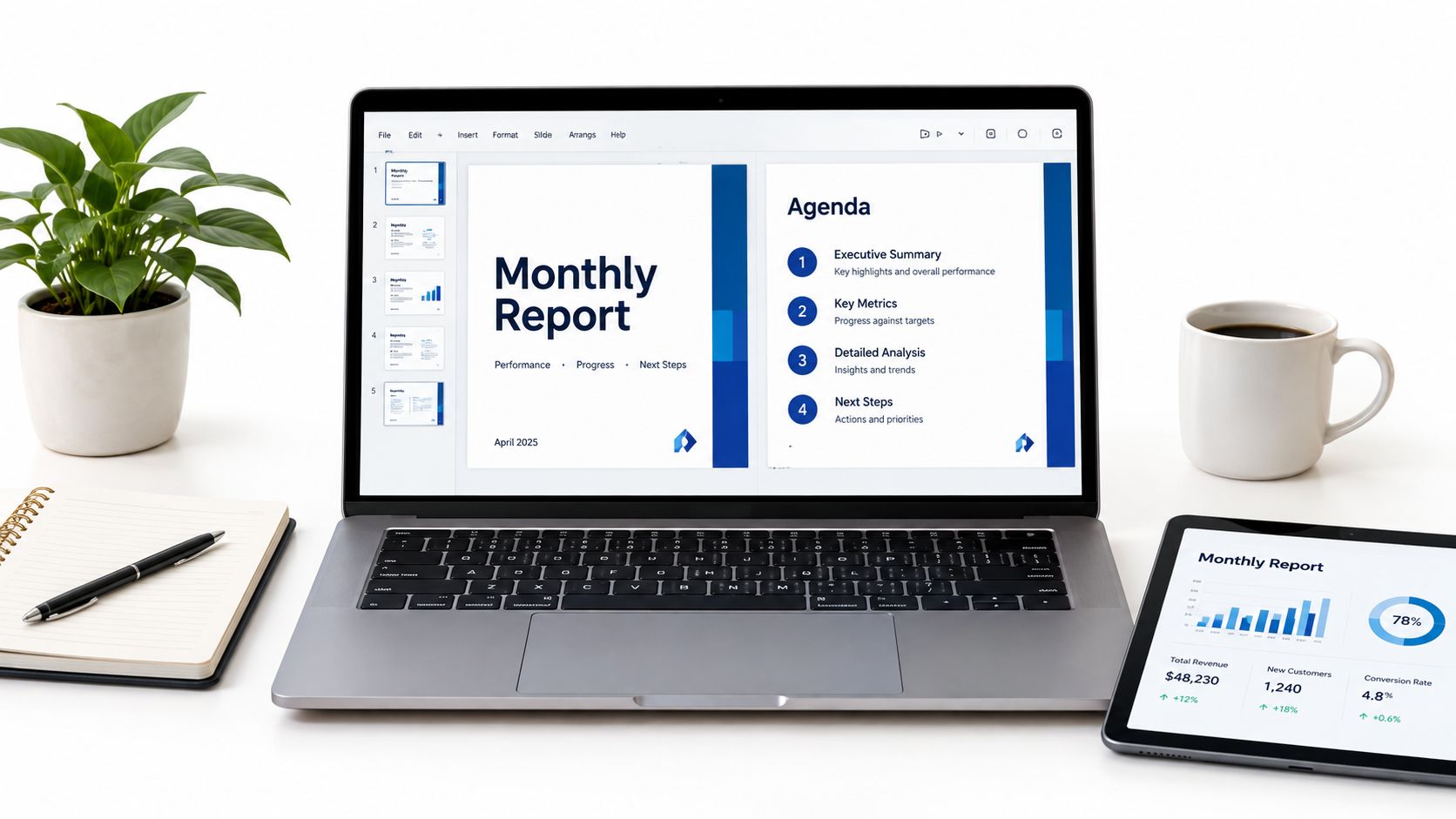
In an interview, describe how you'd check a report before sending it. Review the source figures, names, dates, links, formatting, page breaks, spelling, and intended audience. This workspace example shows the type of organised, presentation-focused environment many remote assistants use:
9. Data Privacy and Confidentiality Practices
A virtual assistant may access client contact details, internal calendars, financial information, customer records, or sensitive legal and personal data. Confidentiality isn't a decorative line on a CV. It affects how you use devices, share files, manage passwords, and decide whether a request is safe to complete.
Candidates working across borders should understand the basic framework relevant to their location and the employer's operations. Examples include Mexico's Federal Law on the Protection of Personal Data Held by Private Parties, Brazil's General Data Protection Law, Argentina's Personal Data Protection Law, and South Africa's Protection of Personal Information Act, known as POPIA.
A South African assistant may limit access to client records and follow the employer's retention policy when deleting outdated files. An assistant in Mexico may refuse to forward personal customer data through an unapproved personal email account and ask for an authorised sharing method.
How to prove it
Describe practical controls rather than saying only “discreet.” Mention multifactor authentication, password managers, least-privilege access, secure file sharing, device updates, and incident escalation if those practices reflect your experience. Learn the principles that apply to your country, including purpose limitation and data minimisation, and follow the employer's procedures.
In an interview, explain what you'd do if a manager asks you to download a sensitive file to a personal device. You'd check the policy, use an approved system if available, ask for guidance when the instruction conflicts with security requirements, and report a suspected incident quickly. Never put client names, customer records, screenshots, or private correspondence in a CV or portfolio.
10. Self-Management and Asynchronous Work Habits
Remote work depends on what you do when nobody is watching the clock beside you. Self-management means planning your day, prioritising competing requests, communicating progress, and raising blockers early. Asynchronous work adds another requirement: your written update must contain enough context for someone in another time zone to act without scheduling a call.
A remote assistant might send an end-of-day update with completed tasks, open items, decisions needed, and the next action. Another candidate might create a step-by-step guide for a weekly report so a colleague can cover the process during leave. These habits reduce dependence on memory and make handoffs more reliable.
How to prove it
Show independence through outcomes and repeatable processes. Your CV might mention maintaining a recurring reporting process, coordinating follow-ups without daily supervision, or documenting procedures for team use. Avoid claiming that you “work well independently” without an example.
Prepare a redacted written update for an interview. It should identify the task, current status, relevant context, blocker, owner, and requested decision. If a manager gives you five competing requests, explain how you'd check deadlines, business impact, dependencies, and available instructions before setting a priority.
Keep your working routine clear on your Virtustant profile. State your location, availability, communication preferences where relevant, and the hours during which you can reliably respond. A tidy home setup helps, but recruiters are primarily assessing whether your work remains visible, predictable, and accurate.
10-Point Virtual Assistant Skills Comparison
| Skill / Service | 🔄 Implementation complexity | ⚡ Resource requirements | 📊 Expected outcomes | 💡 Ideal use cases | ⭐ Key advantages |
|---|---|---|---|---|---|
| Email and Calendar Management | Low–Medium, routine workflows, some timezone handling | Email client + calendar tools (Google/Outlook/Calendly); moderate time | Fewer missed messages and double bookings; predictable schedules | Executive support, shared-team scheduling, high-volume inboxes | ⭐⭐⭐⭐, protects time, reliable organization |
| Professional Written Communication (EN/ES) | Medium, requires language skill and tone control | Writing/editing tools (Docs, Grammarly); bilingual fluency | Clear, actionable messages and fewer misunderstandings | Bilingual client-facing roles, cross-border correspondence | ⭐⭐⭐⭐⭐, clarity across languages, stronger client relations |
| Time Zone Coordination and Scheduling | Medium, DST and overlapping-window planning | World clocks, shared calendars; attention to DST rules | Reduced missed calls and scheduling errors | Remote teams across regions (LATAM, South Africa ↔ US/EU) | ⭐⭐⭐⭐, dependable cross-region availability |
| Spreadsheet Management and Data Entry | Medium–High, accuracy and formula knowledge needed | Excel/Sheets, familiarity with lookups/pivots; validation checks | Clean records, accurate summaries and recurring reports | Operations, bookkeeping support, data tracking tasks | ⭐⭐⭐⭐, accurate data handling, useful for reporting |
| Project and Task Management Tools | Medium, setup and maintenance of workflows | Tools (Asana, Trello, ClickUp); clear processes and reviews | Visible workflows, fewer ad-hoc check-ins, timely handoffs | Cross-functional projects, asynchronous teams | ⭐⭐⭐⭐, improves coordination and accountability |
| CRM Data Handling and Customer Records | Medium, consistent data entry and pipeline discipline | CRM platforms (HubSpot, Salesforce, Zoho); naming conventions | Reliable lead records, faster follow-up, cleaner pipelines | Sales support, appointment setting, customer success | ⭐⭐⭐⭐, improves follow-up quality and tracking |
| Basic Bookkeeping and Invoice Support | Medium, attention to detail; compliance awareness | Accounting tools (QuickBooks, Xero); receipts and bank access | Timely invoices, reconciliations, organized expense records | Small businesses, part-time finance support roles | ⭐⭐⭐, practical financial admin, preserves cashflow |
| Document Preparation and Presentation | Low–Medium, design + proofreading discipline | Slides/docs tools (PowerPoint, Google Slides, Canva); templates | Professional, on-brand reports and decks ready to present | Client reports, onboarding decks, investor or sales materials | ⭐⭐⭐, polished deliverables, consistent branding |
| Data Privacy and Confidentiality Practices | Medium, procedural and legal awareness required | Secure tools, MFA, approved sharing channels; policy knowledge | Lower risk of breaches; compliance with data protection rules | Any role handling personal, financial, or legal data | ⭐⭐⭐⭐⭐, essential for trust and legal compliance |
| Self-Management and Asynchronous Work Habits | Low–Medium, requires discipline and documentation | Communication tools (Slack/Teams), planning routines | Independent execution, clearer async handoffs, fewer blockers | Remote, asynchronous teams; roles with limited supervision | ⭐⭐⭐⭐, increases reliability and reduces micromanagement |
Turn These Skills Into Applications That Get Read
You don't need to present all ten skills as equal. Select the three to five that match the role you want, then prove each one with a specific example. An executive assistant application should lead with inbox and calendar management, written communication, time-zone coordination, document preparation, and self-management. A customer-support or appointment-setting application may need CRM handling, bilingual communication, scheduling, data privacy, and task tracking near the top.
Use the same evidence across your CV, Virtustant profile, and interview, but adapt the detail. Your CV should be concise and outcome-focused. Your profile should make your tools, working hours, languages, and preferred role types easy to understand. In the interview, explain the decisions behind the work, especially when you had to resolve a conflict, check uncertain data, or escalate a sensitive request.
A strong application might say that you managed a shared inbox and calendar for a remote team, used Google Workspace to coordinate meetings, maintained follow-up records in a CRM, and sent structured daily updates. That is more credible than a long software list because it shows how the tools fit together. If you've worked with Spanish-speaking clients, English-speaking managers, or teams across Latin America and South Africa, describe the communication context without revealing private information.
Check the details before applying. Confirm the employer's actual time-zone requirement instead of assuming that “EST” always has the same relationship to your local clock. State your English level using CEFR terminology when you have reliable evidence, and separate speaking, listening, reading, and writing levels when they differ. Name only the software you can use in a real workflow, and distinguish training from professional experience.
Your application should also show that you understand the changing nature of administrative work. The World Economic Forum's Future of Jobs Report 2025 projects that 39% of workers' core skills will change by 2030. It identifies analytical thinking as the most important core skill, with approximately 7 in 10 employers considering it essential. The report also highlights technological literacy and AI and big data among the fastest-growing skill areas, while resilience, flexibility, and agility show reported increases of 17 percentage points compared with its 2023 edition. These findings support a practical approach to virtual assistants skills: learn tools, but also demonstrate judgment, adaptability, service, and careful review.
AI awareness should follow the same principle. AI fluency isn't the same as handing every task to an automated tool. You should be able to write a clear prompt, check the output, remove unsupported claims, protect private information, document the workflow, and escalate when the result affects a customer or business decision. A 2025 study of workplace productivity-agent users found that 95.6% said completing scheduled tasks or making progress contributed to feeling productive, while 76.6% valued solving novel or unexpected tasks; the study also reported that 66.7% rated the agent positively and 30% anticipated using it weekly. The results support a balanced profile that combines reliable execution with exception handling, and they come from a specific study rather than a universal measure of VA performance. Read the study on AI productivity agents.
Finally, protect your credibility. Remove confidential client details from every application, portfolio, writing sample, and interview exercise. Create your Virtustant profile at jobs.virtustant.com/talent, complete your profile and application information, confirm your availability and language details, and browse current remote job openings at jobs.virtustant.com/openings.
Virtustant Jobs offers a remote job platform with opportunities across administrative support, customer service, sales, marketing, finance, design, and operations. Visit Virtustant Jobs to present your virtual assistant skills clearly, review role requirements, and apply for openings that match your tools, schedule, and experience.