
Monday morning starts with a manager in Mexico City asking you to move meetings before a client call in New York. A vendor invoice needs attention before Wednesday, and a new hire starts Thursday without access to the shared drive. You need to resolve each request while keeping the people involved informed, even when they aren't online at the same time.
These are typical administrative assistant tasks in remote work: coordinating schedules, handling communication, maintaining accurate records and helping colleagues get what they need. The challenge isn't just completing requests. It's deciding what comes first, knowing what you're authorized to change and leaving a clear record so someone else can follow your work.
For candidates in Latin America, South Africa and other supported markets, experience from reception, customer support, sales operations or office administration can transfer into remote support. The tools may change, but the underlying skills remain useful. SnapDial's guide to office administration offers broader office context; remote work adds particular demands around shared systems, written updates and cross-border coordination.
The routines below explain what the work looks like, how frequently it tends to arise and which skills it builds. Use them to identify responsibilities you can already demonstrate and areas where a realistic practice project would strengthen your application.
1. Calendar and Schedule Management
A calendar assistant protects priorities, not just available slots. You review incoming requests daily, check conflicts, send invitations and adjust plans when a client, executive or project needs attention.
Google Calendar and Outlook support scheduling, but neither decides which commitment matters most. Agree with your manager on priority categories, protected work time and which meetings you can move without approval. For candidates considering remote executive assistant jobs, that judgment matters as much as knowing the software.
Make Cross-Border Scheduling Unambiguous
Say you're supporting a U.S. executive from Colombia while coordinating with someone in Mexico City. Use location-based calendar zones and confirm the date-specific local times rather than assuming New York always follows EST.
- Name meetings consistently: Include the client or project, purpose and relevant preparation material.
- Protect focused work: Group flexible internal conversations instead of accepting every open slot.
- Review recurring commitments: Ask whether meetings still need their current frequency and attendees.
The trade-off is accessibility versus concentration. A completely open calendar makes booking easy but leaves little room for preparation or decisions.
Keep an anonymized example of a scheduling conflict you resolved. It can help you showcase your support for senior leaders without exposing confidential calendar details.

2. Email and Communication Management
An inbox full of unread messages isn't necessarily the biggest problem. A request that looks answered but still needs a decision can cause more trouble.
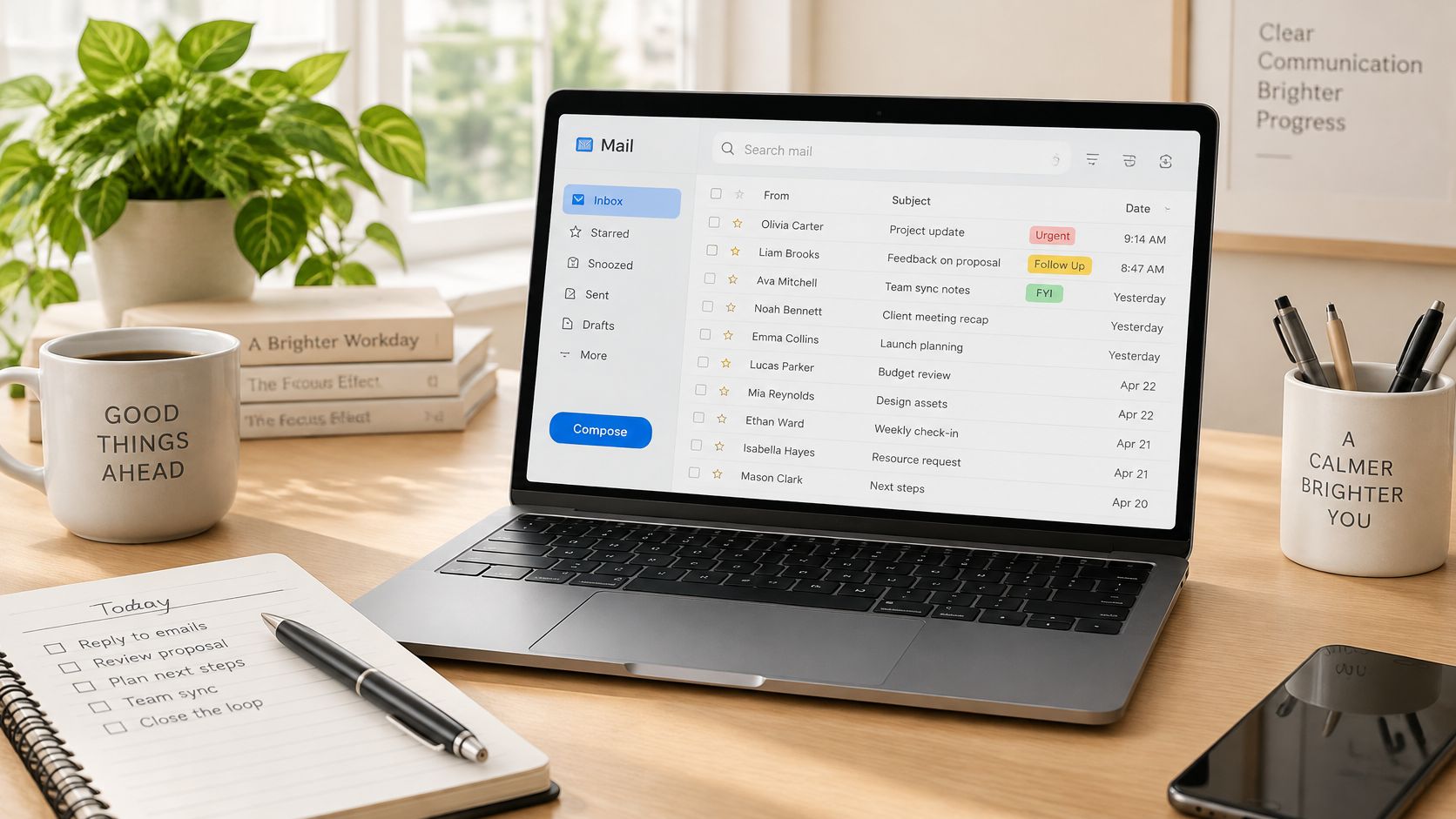
Email management involves reviewing messages throughout the working day, sorting them by required action and tracking unresolved requests. Outlook categories, Gmail labels and a shared task board can help, provided everyone understands what each status means.
For example, a bilingual assistant might draft an English reply to a U.S. customer and a Spanish reply to a regional supplier. The wording should suit each recipient, but neither draft should promise terms the manager hasn't approved.
Practical rule: Separate permission to draft from permission to send. Access to an inbox doesn't automatically give you authority to make commitments.
Create short templates for recurring questions, then check names, attachments, context and tone before sending. Agree on response expectations, an escalation channel and coverage outside your working hours.
AI can help reorganize a draft, but use only employer-approved tools and permitted information. Never paste confidential correspondence into a public tool without authorization, and verify every factual claim before sending.
This routine builds concise writing, discretion and follow-through. For interviews, explain how you distinguish a routine answer from a legal, financial or customer escalation rather than merely saying you're good at email.
3. Travel and Itinerary Coordination
The cheapest flight may be the wrong booking if a connection is fragile or the traveler needs flexibility. Travel coordination requires comparing the whole journey, not just the fare.
Work usually increases around business trips, conferences and team gatherings. You'll gather preferences, compare approved options, request authorization, book transport and accommodation, and maintain an itinerary that travelers can access from their phones.
Build Around the Traveler's Actual Commitments
Suppose you're working from Peru and organizing a manager's trip across several cities. Start with the meetings that can't move, then check arrival times, transfer distances, hotel access and cancellation conditions.
- Verify identity details: Match passenger names to identification before confirming bookings.
- Document restrictions: Make baggage, change and cancellation conditions visible before approval.
- Check travel requirements: Use official destination and transit guidance for passport, visa and entry questions.
- Store confirmations securely: Give the traveler access while keeping an authorized company copy.
A shared document can serve as the main itinerary, with links to confirmations in a restricted folder. Keep passport information out of broadly shared travel notes.
The skill you build is contingency planning. A useful portfolio sample shows not only the preferred itinerary but also how you'd respond to a canceled connection or a changed meeting.

4. Document Preparation and Formatting
Managers often provide rough notes, marked-up drafts or slides with inconsistent figures. Your job is to turn that material into something accurate, readable and ready for review.
The U.S. Bureau of Labor Statistics occupational guide includes preparing correspondence, invoices and reports, editing documents, and using software for spreadsheets and presentations among administrative responsibilities. In remote work, those documents also need clear ownership and reliable version control.
For example, you might turn a manager's notes into a client proposal in Word or Google Docs. Check the amounts against the approved spreadsheet, apply the company template and flag missing information rather than filling gaps with assumptions.
Separate Presentation From Approval
Keep master templates apart from working drafts. Use heading styles, consistent file names and tracked changes so reviewers can understand what changed.
A final review should cover:
- Accuracy: Names, dates, figures, references and attachments.
- Usability: Working links, readable layouts and accessible headings.
- Approval: The correct reviewer and a clearly identified final version.
Formatting a contract doesn't authorize you to interpret its clauses. Candidates interested in specialized document work can compare the boundaries described in legal secretary job duties.
This task builds editorial judgment and quality control. A polished sample is useful, but explaining your checking process makes it more credible.

5. Meeting Coordination and Minutes
A meeting isn't finished when everyone leaves the call. Someone still needs to confirm what was decided, who owns the follow-up and what remains unresolved.
Before recurring team calls or occasional client meetings, you collect agenda items, circulate materials and check the Zoom, Google Meet or Microsoft Teams invitation. Confirm access permissions, external guest settings and any accessibility needs before participants arrive.
During a bilingual cross-border meeting, an assistant might prepare an agenda in English and Spanish, then record decisions in the team's agreed working language. Don't assume that translating the agenda removes the need to clarify unfamiliar terminology.
Minutes should preserve decisions and accountability, not reproduce every sentence spoken.
A consistent template helps distinguish decisions, actions and open questions. Confirm owners and deadlines before the call closes, then distribute the summary promptly enough for people to act on it.
Tools for meeting transcription with speaker labels can support drafting when recording and transcription are permitted. They don't replace checking names, negations, commitments, or whether a proposed deadline was accepted.
The trade-off is completeness versus usefulness. A long transcript may preserve detail while making the next action difficult to find.
This routine builds active listening and coordination. For a work sample, create concise minutes from a fictional meeting and show how you'd track unfinished actions.

6. Data Entry, Spreadsheets and Records Management
Say a sales representative finishes a call but leaves the CRM record incomplete. You update the contact details, record the next step and flag anything that needs confirmation instead of guessing.
That routine may happen throughout the day, while duplicate checks and reporting happen on a recurring schedule. Excel, Google Sheets and CRM platforms are useful only when people enter information consistently.
Build Rules Before Adding Rows
Define what belongs in each field. A status column should use agreed options, dates should follow a consistent format and records should have a reliable identifier.
- Prevent errors: Use dropdowns and data validation for controlled fields.
- Check relationships: Learn VLOOKUP or XLOOKUP to match records across lists.
- Summarize carefully: Use pivot tables, then reconcile totals against the underlying records.
- Preserve context: Keep source references and flag incomplete entries.
Color can make a tracker easier to scan, but it shouldn't be the only indication of status. Use text labels so filters, exports and colleagues can interpret the information.
For practice, build a fictional lead tracker, deliberately add inconsistent entries and document how you clean them. This demonstrates data judgment rather than typing speed alone.
The embedded video offers an additional learning resource.
7. Expense Reporting and Invoice Support
Finance support depends on a traceable record. A receipt, an approval and a payment status need to connect clearly, even when different people handle each stage.
You may collect expenses as they arise, prepare reports around accounting deadlines and follow up on invoices awaiting information. Excel, QuickBooks or an employer's expense platform can support the process, but your authority should be explicit.
For example, an assistant in Argentina preparing a report in USD should retain the original transaction currency and document the approved conversion method. Don't choose an exchange rate just because it produces a convenient total.
Keep Preparation Separate From Payment
Match invoices to the relevant order or approval, check vendor details and identify possible duplicates. When a supplier changes bank information, verify the request through a previously established contact channel before passing it for approval.
- Capture evidence early: Save legible receipts in the approved location.
- Use clear statuses: Distinguish submitted, approved, scheduled and paid.
- Escalate exceptions: Flag missing documentation, disputed charges and unclear categories.
Preparing a reimbursement request doesn't mean you can authorize it. That boundary protects both you and the employer.
Candidates exploring remote bookkeeping jobs should learn basic accounting terminology and explain their reconciliation process. This task builds financial accuracy, audit-trail discipline and the confidence to ask precise questions when something doesn't match.
8. Vendor Coordination and Office Procurement
A software renewal can require as much coordination as an equipment order. Someone must confirm whether the team still needs it, who owns the account and whether the purchase has approval.
The O*NET task inventory for secretaries and administrative assistants includes ordering supplies and equipment alongside coordination and records work. For distributed teams, that can translate into managing subscriptions, arranging laptop deliveries and tracking service requests.
Suppose a new remote colleague needs equipment. Compare suitable options using the full delivered cost, compatibility, warranty, shipping destination and return arrangements, not just the advertised price.
Approval boundary: Collecting quotes isn't permission to place an order. Confirm purchasing authority before making a commitment.
Maintain a vendor register with contact details, service owners, renewal dates, payment terms and links to approved contracts. Record verbal quotes in writing and check cancellation conditions before renewal decisions become urgent.
A shared spreadsheet may be enough for a small vendor list. More complex operations may use procurement software or an established ticketing process; don't create a competing tracker that nobody else maintains.
This work builds commercial judgment and negotiation preparation. In interviews, explain how you'd compare options and surface trade-offs for approval rather than claiming you always select the cheapest supplier.
9. Reception and Front-Desk Communication
A caller shouldn't need to understand the company's internal structure to reach the right person. Your role is to clarify the request, route it appropriately and record enough context that they don't have to start again.
Virtual reception usually requires coverage during agreed hours. A business phone platform, shared inbox and CRM help you answer inquiries, log messages, arrange callbacks and manage virtual waiting rooms.
Communication can be a substantial part of the occupation: the Bureau of Labor Statistics Occupational Requirements Survey reported that external verbal interactions were required constantly for 36.9% of secretaries and administrative assistants outside legal, medical and executive categories in 2025.
Use Scripts Without Sounding Scripted
A bilingual receptionist might greet a caller in English, confirm their preferred language and route a technical issue to support. Approved scripts help with consistency, but listening matters more than reading every line.
- Confirm details: Repeat names and callback information, then log them accurately.
- Protect privacy: Verify identity before disclosing restricted information.
- Set honest expectations: Explain the next step without promising an unconfirmed callback.
- Leave a useful handoff: Include the issue, urgency and action already taken.
This routine builds composure and triage skills. Practice handling an upset caller, an unclear request and an unavailable colleague, not just delivering a polished greeting.
10. Onboarding Support and Information Management
A welcome message doesn't solve missing access. Effective onboarding means the new colleague can find instructions, contact the right people and start assigned work without repeatedly chasing help.
Work increases before someone joins and continues through their initial settling-in period. You might maintain a task board in Asana or Trello, schedule orientation sessions and coordinate account requests with IT.
For example, a remote hire may have email access but still be unable to open the shared drive. Your job is to identify the missing permission, contact the authorized owner and track the request through completion, not mark onboarding complete because the welcome email was sent.
Coordinate Access Without Bypassing Security
Keep the onboarding plan in an accessible location and assign an owner to each dependency. IT or another authorized administrator should provision accounts through approved processes; don't share another employee's credentials as a workaround.
- Organize by need: Separate getting-started instructions from reference material.
- Assign document owners: Identify who maintains each process.
- Review after changes: Update instructions when tools, responsibilities or policies change.
- Test usability: Ask whether someone unfamiliar with the process could follow it independently.
More documentation isn't automatically better. Short, accurate instructions with clear escalation contacts are more useful than an extensive library of outdated pages.
This work builds process design and knowledge management. A fictional onboarding pack can demonstrate those skills without revealing a former employer's internal information.
How the 10 administrative assistant tasks compare by tools, main challenge and skills built
| Item | Common tools | Main challenge | Key skill built |
|---|---|---|---|
| Calendar and Schedule Management | Google Calendar, Microsoft Outlook Calendar, Calendly | Resolving schedule conflicts across time zones | Prioritization and time management |
| Email and Communication Management | Gmail, Microsoft Outlook, Slack | Judging tone, urgency, and when to escalate | Professional written communication |
| Travel and Itinerary Coordination | Expedia for Business, TripActions, Google Sheets | Managing last-minute changes and booking details | Travel planning and logistics |
| Document Preparation and Formatting | Microsoft Word, Google Docs, Microsoft PowerPoint, Canva | Producing accurate documents under tight deadlines | Proofreading and document formatting |
| Meeting Coordination and Minutes | Zoom, Microsoft Teams, Google Meet, Notion | Capturing decisions and action items during fast discussions | Active listening and meeting organization |
| Data Entry, Spreadsheets and Records Management | Microsoft Excel, Google Sheets, HubSpot, QuickBooks | Maintaining accurate data despite repetitive work | Spreadsheet and records management |
| Expense Reporting and Invoice Support | QuickBooks, Xero, Expensify, Excel | Handling missing receipts, policy differences, and currency conversions | Financial recordkeeping |
| Vendor Coordination and Office Procurement | Google Sheets, Notion, Asana | Tracking vendors and purchases within approval limits | Supplier coordination and negotiation |
| Reception and Front-Desk Communication | RingCentral, Google Voice, Zoom Phone | Handling interruptions and difficult inquiries professionally | Customer service and verbal communication |
| Onboarding Support and Information Management | Notion, Confluence, Google Drive, Trello | Keeping documentation current while coordinating across departments | Information organization and onboarding coordination |
Turn These Tasks Into Your Next Remote Role
You don't need equal experience across every administrative responsibility before applying. Start with the areas you can already demonstrate, such as calendar coordination, spreadsheet maintenance or clear customer communication, and build toward finance support, executive coordination or onboarding as your skills develop.
Review your experience by routine rather than job title. Someone from hospitality may already know how to manage bookings and difficult conversations, while a sales support professional may have strong CRM and follow-up skills. The important distinction is whether you can explain the work clearly, including the checks you perform and the limits of your authority.
Make Your Experience Specific
Your CV should describe an action, the system you used and the purpose of the work. Don't invent performance figures to make a bullet sound stronger.
- Replace broad claims: Instead of listing organization, describe maintaining calendars, resolving conflicts, and confirming changes with stakeholders.
- Name relevant tools: Include Excel, Outlook, Google Workspace, or a CRM only when you can explain how you've used them.
- Show reliable controls: Mention approval tracking, document checks, or reconciliation where these were part of your work.
- Separate practice from employment: Label fictional portfolios and training exercises clearly.
Prepare interview examples around conflicting priorities, missing information and sensitive requests. Explain what you checked, what you handled independently and when you escalated. A thoughtful account of an ordinary scheduling problem is more convincing than claiming you can manage anything.
For remote cross-border roles, be precise about your location, languages and availability. Our vacancies set their own location, hours and eligibility requirements, so read those details before applying. In particular, confirm whether the schedule is fixed to an employer's local time and how it fits your commitments in Latin America, South Africa or another supported market.
Virtustant Jobs connects qualified candidates with remote opportunities across 12 job categories, including Virtual Assistant & Admin. Most applications take under five minutes to complete, but preparing accurate information about your experience and availability beforehand is still worthwhile.
Create your Virtustant profile to join the talent pool for future openings, complete any required assessment and keep your application information current. Then browse current remote job openings and apply where your skills, schedule and eligibility align with the posting. A focused application supported by clear examples gives reviewers a better understanding of the work you're ready to handle.
Virtustant Jobs offers remote job listings and a talent pool for candidates seeking future opportunities. Use these administrative routines to identify your strongest experience, complete your profile and explore roles that match your skills and availability.