
You may be looking at a remote executive assistant vacancy and wondering whether you're qualified. The description mentions calendars, inboxes, travel, reports, and meetings, but those tasks don't reveal the standard. A hiring manager isn't only asking whether you can schedule a call. They're asking whether you can protect a leader's attention, handle sensitive information, spot conflicts early, and keep decisions moving when instructions are incomplete.
That difference matters for candidates in Latin America, South Africa, and other remote markets. The strongest applicants don't present themselves as people who complete admin tasks. They show how they control workflows, communicate across time zones, and turn scattered requests into reliable execution.
What the Executive Assistant Role Has Become
On a Monday morning, an executive assistant might begin by sorting an inbox into urgent decisions, delegated items, and messages that can wait. A client reschedules a meeting, which affects a leadership review and a board call later in the day. The assistant rebuilds the calendar, checks the time-zone impact for every attendee, updates the invitations, and prepares briefing notes from documents that arrived in different formats.
That work requires more than speed. It requires judgment about what deserves attention first, what information is missing, and which change could create a downstream problem. The assistant may also need to tell the executive, clearly and briefly, that two priorities conflict and offer practical options.

From secretarial support to operational partnership
The profession has a long history of formalization. The National Secretaries Association was established in the United States in 1942 to promote professionalism among secretaries, later becoming the International Association of Administrative Professionals. It introduced the Certified Professional Secretaries examination, first administered in 1951, and the U.S. Department of Commerce and the association established National Secretaries Week in 1952. The name “Professional Secretaries Week” changed to “Administrative Professionals Week” in 2000, reflecting a broader and more gender-neutral understanding of the work. This history of the secretarial profession documents that progression.
Earlier positions centered on typing, shorthand, correspondence, and clerical support. Today, the executive assistant role commonly includes meeting coordination, sensitive information handling, travel and communications, project follow-through, and participation in planning processes.
The occupation is also distinct in the labor market. The U.S. Bureau of Labor Statistics recorded approximately 483,570 jobs for executive secretaries and executive administrative assistants in May 2023, with an average annual wage of $73,680 and a median annual wage of $70,310. By comparison, the broader office and administrative support group contained about 18.5 million jobs, with an average annual wage of $47,940. The Bureau of Labor Statistics explains the occupational comparison.
Those figures don't define what any particular remote employer will pay. They do show that executive support is treated as a specialized occupation, partly because the work combines discretion, coordination, communication, and operational judgment.
How an Executive Assistant Creates Value
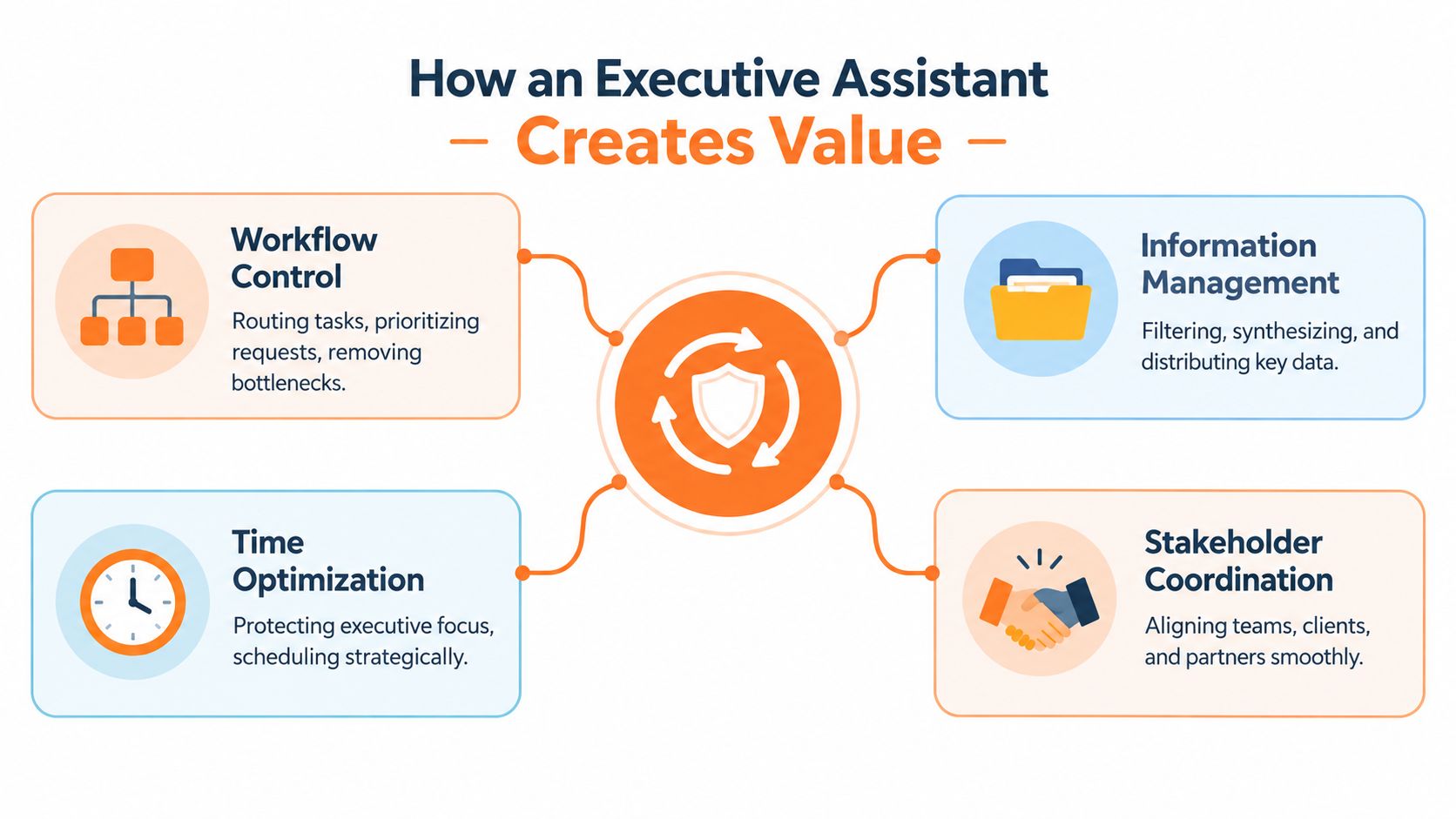
An executive assistant creates value by turning unclear requests into controlled workflows. A short message such as “Can you get this moving?” should become a documented process with an owner, a deadline, the needed context, and a clear escalation path.
A reliable workflow usually follows this sequence:
- Capture the request. Record what the executive needs, why it matters, and what a finished result looks like.
- Clarify missing information. Ask focused questions before an avoidable misunderstanding reaches another stakeholder.
- Assign ownership and timing. Put the task in the right system, identify the responsible person, and make the deadline visible.
- Maintain a source of truth. Keep the latest document, status, decision, or meeting action in a place others can find.
- Escalate with choices. If a conflict appears, present the issue with practical options and consequences.
The difference between being busy and being valuable
A founder sends incomplete notes before an important leadership meeting. A task-focused assistant forwards the notes to attendees and places the meeting on the calendar. An assistant focused on outcomes identifies the missing decisions, contacts the relevant owners, gathers the available evidence, drafts a concise briefing, and flags the questions that still need executive input.
Both assistants are busy. Only one has improved the quality of the executive's preparation.
The U.S. Bureau of Labor Statistics identifies spreadsheet creation, database management, and preparation of presentations, reports, and documents among executive and administrative assistant duties. Its occupational overview supports a broader understanding of the job than calendar entry alone.
Hiring signal: Employers usually learn more from how you handle an ambiguous request than from how quickly you can add a meeting to a calendar.
For remote candidates, this means your examples should describe inputs, decisions, and outcomes. Instead of writing “managed executive calendar,” explain that you resolved conflicting commitments, protected preparation time, confirmed attendees, and kept the final schedule accurate. That language shows control, not just access to software.
Core Responsibilities Broken Down
The work is easier to understand when divided into three operating domains. The categories overlap, but each highlights a different way the assistant protects execution.
Attention protection
Calendar management, inbox triage, meeting preparation, travel coordination, and scheduling all protect executive focus. The assistant decides which requests belong on the calendar, which need preparation time, and which should be redirected.
Consider a remote EA in Colombia supporting a U.S. founder. A customer call runs late, creating a conflict with an internal hiring meeting. The assistant checks the purpose of each commitment, confirms which participants are flexible, moves the lower-risk meeting, updates the invitations, and sends the founder a short explanation. The value isn't the calendar edit. It's preserving the most important conversation without creating confusion for everyone else.
A thoughtful approach to executive time should also account for preparation, recovery, and realistic transitions. This coach's take on executive calendars offers useful context for thinking about calendars as operating systems rather than lists of appointments.
Information management
Briefing notes, reports, presentations, records, and document version control help the executive work from dependable information. An EA may collect updates from several people, remove duplication, identify gaps, and present the material in a format that supports a decision.
For example, before a founder's investor call, the assistant could consolidate the latest sales summary, customer notes, and open questions into a briefing document. The document should make it obvious which figures are confirmed, which items need verification, and where the executive's response is required.
The Occupational Information Network lists invoices, reports, memos, letters, financial statements, and other business documents among relevant work activities. O*NET's executive administrative assistant profile also emphasizes files, records, transcription, form design, and workplace terminology.
Decision support
Follow-up tracking and stakeholder coordination keep decisions from disappearing after meetings. A capable assistant records the decision, names the action owner, sets the next checkpoint, and notices when a commitment is at risk.
If the founder agrees to review a vendor proposal, the EA shouldn't only write “Founder to review.” A useful record includes the proposal location, the decision required, the person who prepared it, the desired timing, and the next action once the review is complete.
Skills and Competencies Employers Actually Test
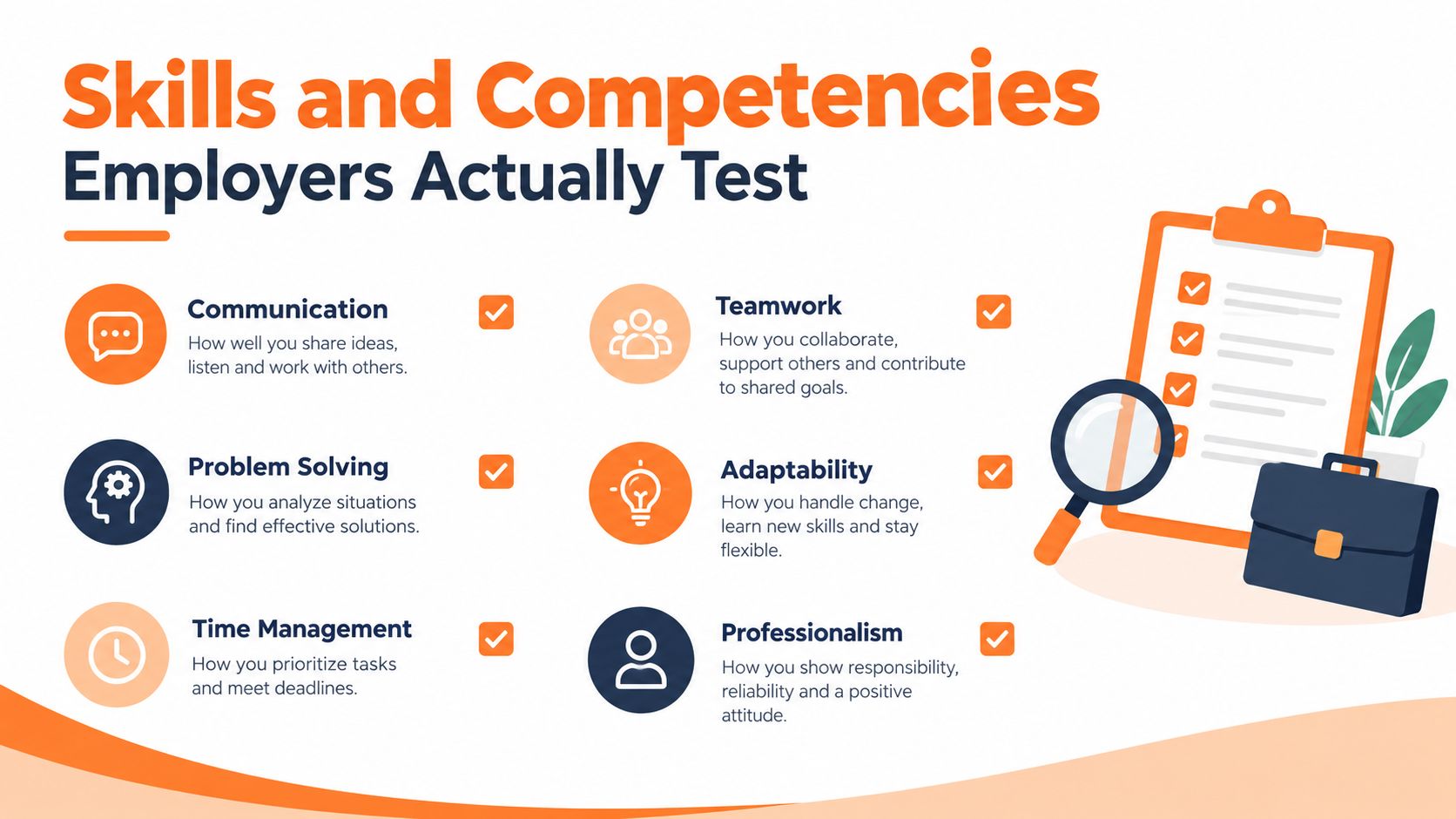
Job descriptions often list organization, communication, adaptability, and attention to detail. Hiring managers test those skills through the work itself. They may ask you to prioritize competing requests, draft a message from rough notes, or explain how you'd respond when a meeting changes at the last minute.
The baseline is practical:
- Written business English: Your emails, summaries, and updates should be clear enough that busy stakeholders don't need to decode them.
- Calendar discipline: You need to check time zones, preparation requirements, attendees, locations, and conflicts before confirming a meeting.
- Document accuracy: Reports, spreadsheets, presentations, and records must be readable, current, and easy to retrieve.
- Follow-through: A task isn't complete because you sent a message. It's complete when the required result is confirmed.
- Tool fluency: You should be comfortable working in Google Workspace or Microsoft 365 and learning the employer's systems quickly.
What separates a senior EA
Senior readiness appears when you can explain why you made a choice, not only what you did. You might describe how you ranked requests against business priorities, tracked a project across departments, or identified a recurring delay and improved the process.
The stronger differentiators include:
- KPI awareness: You understand which indicators matter to the executive or team and can prepare information around them.
- Project follow-through: You track dependencies, owners, deadlines, and exceptions without waiting for repeated instructions.
- Cross-functional coordination: You can move work between sales, finance, operations, people teams, and external partners.
- Independent prioritization: You know when to act, when to ask, and when to escalate.
- Executive judgment: You protect confidentiality and represent the leader's priorities without overstepping authority.
A candidate from customer support might show senior potential by explaining how they managed escalations, maintained records, and coordinated resolution across departments. Someone from bookkeeping can highlight document accuracy, deadline control, and sensitive financial information. Your previous title matters less than the operating behavior you can prove.
For a practical skills reference, review this guide to virtual assistant skills, then adapt the relevant capabilities to executive-level work.
The Tools and Software You Will Use Daily
Tools matter because each one supports a work product. Listing software without explaining how you used it makes a profile look generic. Naming the system alongside the workflow shows practical competence.
| Tool category | Typical work product |
|---|---|
| Microsoft 365 or Google Workspace | Documents, spreadsheets, presentations, shared files, and email |
| Google Calendar or Outlook | Schedules, meeting invitations, time-zone coordination, and protected focus periods |
| Slack, Teams, and email | Stakeholder updates, escalation messages, and communication records |
| Asana, Trello, or Notion | Action-item tracking, project status, deadlines, and process documentation |
| HubSpot or Salesforce | Customer context, relationship records, and executive preparation |
| Travel platforms | Itineraries, reservations, changes, and supporting documentation |
The categories that signal broader scope
Recent role data indicates that executive assistants also use project-management systems (64%), HR tools (56%), bookkeeping software (47%), and travel platforms (43%). These figures come from the Executive Productivity Report. They're useful as a reminder that the role often reaches beyond calendars and email.
If you've worked with an HR system, name the type of work you completed. You might have maintained onboarding records, coordinated interviews, or protected employee information. If you've used bookkeeping software, explain whether you matched invoices, organized expenses, or prepared records for review.
Avoid a bare list such as “Google Workspace, Slack, Asana.” Write the evidence behind it: “Used Google Calendar to coordinate international meetings, Asana to track post-meeting actions, and shared spreadsheets to maintain a current project status view.” That description gives a hiring manager something to assess.
Confidentiality and Executive Communication
Confidentiality and communication are one operating discipline. An assistant can write a polished message and still create risk if the message exposes information to the wrong person or uses an unapproved system.
Start by classifying information. A confidential calendar may reveal negotiations, medical appointments, hiring decisions, or travel plans. Financial records, customer information, internal strategy, and employee matters require similar care. Before entering any content into an AI tool, shared document, CRM, or messaging channel, confirm what the employer permits and whether the system is approved for that data.
A practical human-in-the-loop workflow looks like this:
- Classify the information. Decide whether it is public, internal, confidential, or highly restricted.
- Choose the approved system. Use the employer's designated tools and access controls.
- Verify the output. Compare summaries, drafts, and recommendations with the original records.
- Obtain approval where risk is high. External communications and sensitive decisions may require executive review.
- Keep an audit trail. Record the source, decision, owner, and final version.
Writing for different stakeholders
Your tone should change with the audience. A CEO may need a three-line decision summary with options and a recommendation. A peer may need context, ownership, and a deadline. A vendor may need a precise request, required documents, and a response date.
Remote work increases the importance of this discipline because information moves through shared drives, chat channels, video meetings, and email. AI can help with drafting or summarization, but it doesn't own the judgment. The assistant remains responsible for checking facts, protecting information, and ensuring that an automated suggestion doesn't create a missed commitment.
A useful test: Before sending, ask whether the recipient has the authority, context, and need to receive the information.
How Remote Executive Assistant Roles Differ by Region
Remote work doesn't eliminate regional considerations. It changes which details you need to make explicit.
| Consideration | LATAM candidates | South Africa candidates | Other supported markets |
|---|---|---|---|
| Schedule overlap | Many roles align with U.S. business hours, but the practical overlap depends on the country and season. | U.S. schedules can create a different daily rhythm, so confirm the exact hours rather than assuming compatibility. | Requirements vary by employer, role, and client location. |
| Payment expectations | Postings may specify USD or local-currency arrangements. Read the engagement terms carefully. | Confirm the payment method, currency, invoicing expectations, and local obligations before accepting. | Ask how compensation is stated and how cross-border payments are handled. |
| English proficiency | Bilingual ability can help, but written business English remains important for U.S.-aligned communication. | Strong written and spoken English supports executive correspondence and meeting participation. | Match your application language skills to the actual stakeholder environment. |
| Availability proof | State your time zone, working window, and overlap clearly. | Provide the same information and identify any fixed commitments. | Use exact time zones instead of informal descriptions such as “morning availability.” |
Microsoft Research found that approximately one-third of meetings in its large-scale collaboration study included participants from multiple time zones, and those meetings were associated with work hours outside the traditional 8 a.m. to 6 p.m. day. The Microsoft Research study explains why time-zone accuracy is a core EA skill.
For a candidate in São Paulo, a U.S. Eastern schedule may be workable, but daylight-saving changes can affect the exact relationship during the year. A candidate in Cape Town may face a different overlap pattern and should confirm whether the role requires a full U.S. business day or only agreed collaboration windows. Don't promise availability based on a rough regional assumption.
Use this guide to South America time zones when preparing your availability statement. Then write the statement plainly: include your location, usual working hours, U.S. time-zone overlap, and flexibility for occasional executive meetings.
Positioning Yourself for a Remote Executive Assistant Role
Your CV should show work products, not just responsibilities. Replace “managed calendars” with evidence such as “coordinated complex executive schedules, resolved conflicting priorities, and maintained accurate meeting records.” Replace “supported projects” with the systems you used, the stakeholders involved, and the follow-through you owned.
Audit your application against these questions:
- Calendar control: Have you coordinated meetings across locations, priorities, or time zones?
- Briefing preparation: Have you turned scattered notes, reports, or messages into a decision-ready summary?
- Follow-up closure: Have you tracked owners and deadlines until commitments were completed?
- Information handling: Have you managed confidential customer, financial, employee, or executive information?
- Operational breadth: Have you used project-management, CRM, HR, travel, or bookkeeping systems?
- Communication quality: Can you show examples of concise English updates, stakeholder coordination, or professional escalation?
Adjacent experience can be relevant. A customer support professional may have triaged urgent issues and coordinated internal resolution. An operations specialist may have maintained process documentation and tracked dependencies. A sales coordinator may have managed CRM records, meeting logistics, and follow-ups. A bookkeeper may bring strong accuracy, confidentiality, and deadline control.
Your profile should make those connections easy to see. Include your location, availability, language level, tools, executive or stakeholder exposure, and the type of remote schedule you can reliably maintain. Before applying, read the listing for software requirements, working hours, experience expectations, and language standards.
You can also review this guide to executive virtual assistant work to compare your experience with the broader shape of the role. Then create a complete profile, browse current openings, and apply to roles where your evidence matches the operating requirements. If the right position isn't posted yet, joining a talent pool can keep your information available for future matching.
Virtustant Jobs connects qualified candidates with remote opportunities, including executive assistant and other administrative roles that may involve calendars, communications, coordination, and follow-through. Visit Virtustant Jobs to create your profile, review current openings, and submit your application information for roles that match your skills and availability.